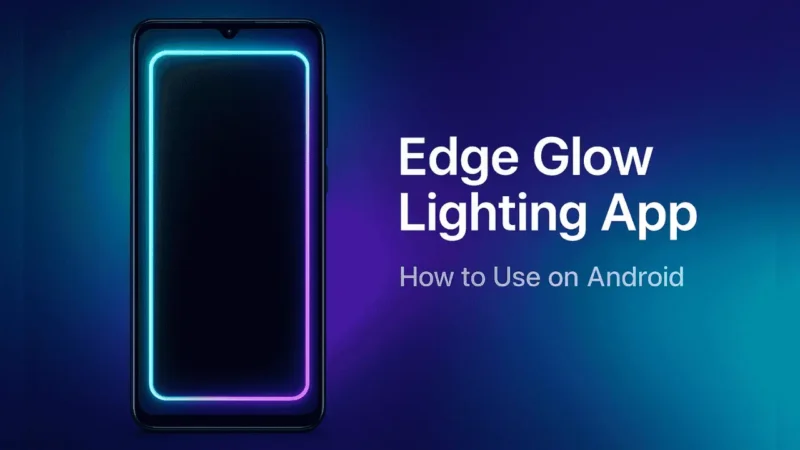
If you’ve ever noticed that bright glowing border light running around someone’s phone screen and wondered how they do that, you’re in the right place.
In this guide, you’ll learn how to use the Edge Glow Screen Lighting App — a simple Android app that gives your screen a colorful edge glow whenever it’s active.
It’s one of those small customization tricks that instantly make your phone stand out — and the best part? It’s safe, easy to use, and available directly on the Google Play Store.
Also Read: How to Use Transparent Wallpaper App on Android
What Is Edge Glow Screen Lighting App?
The Edge Glow Screen Lighting App is a personalization tool that adds a glowing border effect around your phone’s screen edges.
It lights up when you use your phone, receive notifications, or charge your device — giving a beautiful edge-lit appearance.
Think of it as a visual enhancer — it doesn’t change how your phone works, but it definitely changes how it looks.
How It Works
This app uses your phone’s display overlay system to draw glowing effects along the screen’s edges.
When you open the app for the first time, it’ll ask for a few permissions (like “display over other apps”). Once allowed, it can create colorful glow animations around your screen — visible even when your phone is locked or charging.
You can customize the lighting’s color, thickness, animation speed, and corner styles.
Also Read: Battery Charging Animation App – A Complete Beginner’s Guide
Key Features of Edge Glow Screen Lighting App
Here are some of the standout features that make this app popular:
- 🌈 Customizable Colors: Choose any color combination for the glowing border.
- ⚡ Dynamic Lighting Effects: Add moving light waves or gradient glow effects.
- 🧩 Adjustable Edge Thickness: Control how thin or bold the edge lights appear.
- 🕹️ Live Preview Mode: See changes instantly while customizing.
- 🔔 Notification Glow: Optionally light up the edges when new notifications arrive.
- 🔋 Battery-Friendly: Optimized to use minimal power during standby.
- 📱 Works on Most Android Devices: Supports various screen shapes and notches.
How to Use Edge Glow Screen Lighting App (Step-by-Step)
Setting up the Edge Glow effect is very easy — just follow these simple steps:
- Open Google Play Store on your Android device.
- Search for “Edge Glow Screen Lighting”.
- Tap Install and wait for it to download.
- Once installed, open the app.
- Grant necessary permissions (like display over other apps).
- Choose your preferred light color, animation style, and thickness.
- Tap Apply or Set Wallpaper — your edge lighting is now active!
You can revisit the app anytime to tweak colors or adjust glow intensity.
Also Read: HiPhone Launcher for Android – Honest Review, Features, and Safety Guide
Is It Safe to Use?
✅ Yes, the Edge Glow Screen Lighting App is safe to use if downloaded from the official Google Play Store.
It doesn’t collect personal data or access your files. The only permission it needs is to display effects over your screen — which is essential for the edge glow to appear.
Just make sure not to download “mod” or “APK” versions from random sites.
Pros and Cons
| Pros | Cons |
|---|---|
| Beautiful glow around the screen | Slightly increases screen-on battery usage |
| Fully customizable lighting effects | May not run perfectly on some old phones |
| Simple and clean interface | Requires overlay permission |
| Safe and available on Play Store | Not useful for users who prefer minimal look |
Tips for Best Experience
- Use darker wallpapers — edge lights pop more on them.
- Enable “notification glow” only for important apps to save battery.
- Reduce edge thickness if your phone has a curved display.
- Avoid keeping edge lighting on 24/7 — use it smartly for events or charging mode.
Also Read: Instabridge App: Stay Connected with Free WiFi & Save Your Mobile Data
Recommended App (Play Store)
If you want to try a trusted and lightweight app, you can check out the Edge Glow Screen Lighting App by Pixel Kraft — available safely on Google Play Store.
🔗 Official Play Store Link:

Final Thoughts
The Edge Glow Screen Lighting App is a fun, stylish, and safe way to make your phone’s screen look more dynamic.
It’s purely visual — doesn’t boost performance or speed — but adds a unique personality to your device.
As long as you download it from the Play Store and manage the settings properly, it’s a completely safe customization option for Android users.
So go ahead, give your phone screen a soft glow and make it stand out beautifully! ✨
Stay Connected
For latest tech news, Android tips, and app updates, you can follow us on Facebook and YouTube for regular posts and videos.