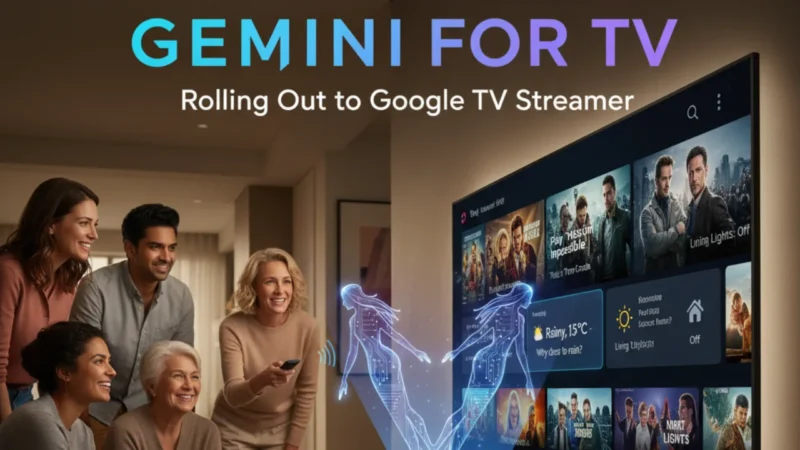
You will soon start seeing the new Gemini for TV feature on your Google TV Streamer. This new update from Google brings a big change to your home entertainment. It will replace the old Google Assistant and give you a new, more natural way to talk to your TV. Now your device will not just play movies, it will also understand what you say — just like a real person.
In this article, we will discuss the new update in Gemini , how, what, and when you will get it.
What is Gemini for TV
Gemini for TV is Google’s latest AI update made especially for TVs. With this, you can talk naturally to your Google TV Streamer without using fixed commands. You can say things like, “Show me something funny,” or “Find a family movie,” and your TV will understand what you mean. This update makes your watching experience smoother and more enjoyable. Gemini also gives answers about what you are watching. For example, if you ask, “Who is this actor?” it will tell you instantly. You can even ask for show summaries or recommendations based on your mood.
How Gemini for TV Works
After the new update, you will see an option for Gemini for TV under Voice Assistant settings. Once you turn it on, you can start using it right away. You can press the mic button on your remote or just say “Hey Google” if hands-free mode is supported. You can ask questions, play your favorite shows, and even get information like “Explain the ending of this movie” or “Tell me what else this actor has done.” Along with this, you can use Gemini to learn small things, like “Why does it rain?” or “What are the best travel destinations this month?”
Your Google TV Streamer will now act more like a smart helper instead of just a device.
When Will You Get It
The rollout of Gemini for TV has already started. It will reach all users in the coming weeks. If you don’t see it yet, don’t worry — it’s coming through a system update. You won’t have to download anything manually. Right now, this feature is being released in select regions and languages. It will also work only for adult profiles. Kids’ profiles will continue using the regular Google Assistant for now. Once the full rollout is complete, all supported devices will have access to Gemini for TV automatically.
How to Turn It On
Once you get the update, here’s how you can enable Gemini for TV:
- Open Settings on your Google TV Streamer.
- Go to Accounts & Profiles → Voice Assistant.
- Choose Gemini for TV.
- If you want, turn on the hands-free option.
After this, you can start using it right away. You can say things like, “Play a movie like Mission Impossible,” or “Find comedy shows from the 90s.” Gemin will show results and even speak back with short answers.
Also read
How to Use Gravity Launcher App on Android (A Fun Home Screen Experiment)
How to Use Voice Access on Android: Hands-free Control for Power Users & Disabled Users
What Makes Gemini for TV Special
Earlier, Google Assistant on TV could only follow simple commands. But Gemini for TV is much smarter. It can understand what you mean, even when you don’t speak perfectly. You can ask follow-up questions without repeating everything again. For example, you can say, “Show me action movies,” and then say, “Only the new ones,” and it will update the results immediately. You can even control smart home devices through it, like turning off the lights or adjusting the fan speed while watching.
This makes Gemini for more than just a voice tool — it’s like having a small AI partner sitting in your living room.
Why This Update Matters
This update changes how we use our TVs. Voice assistants used to feel robotic, but Gemini for TV feels human. It listens, understands, and responds naturally. Watching TV now feels simpler — no need to type or click too much. Along with this, Gemini for TV makes learning and exploring fun. You can ask about topics related to the show you’re watching, like “Where was this movie filmed?” or “What’s the real story behind this series?” It can even suggest related videos on YouTube or apps you already have.
This shows how Google is slowly connecting its Gemini AI with all devices — phones, tablets, and now your TV. Everything is getting linked together under one smart system.
Article Summary
Gemini is a big step in smart entertainment. It turns your Google TV Streamer into a real AI-powered companion. You no longer need to remember commands — just talk normally, and your TV will do the rest. If you haven’t received the update yet, it will arrive soon. Once it does, you’ll notice how your viewing experience changes. From finding shows to answering questions, Gemini for TV makes everything easier.
So keep your Google TV Streamer updated. Because very soon, your TV will not just play your favorite movie — it will also talk back, explain, and even help you decide what to watch next.
Also read
WhatsApp Beta Android 2.25.33.11 – Here is What is Next in Privacy and Control of Messages
How Much Cache Is Too Much? The Truth About Android’s Hidden Storage Files!