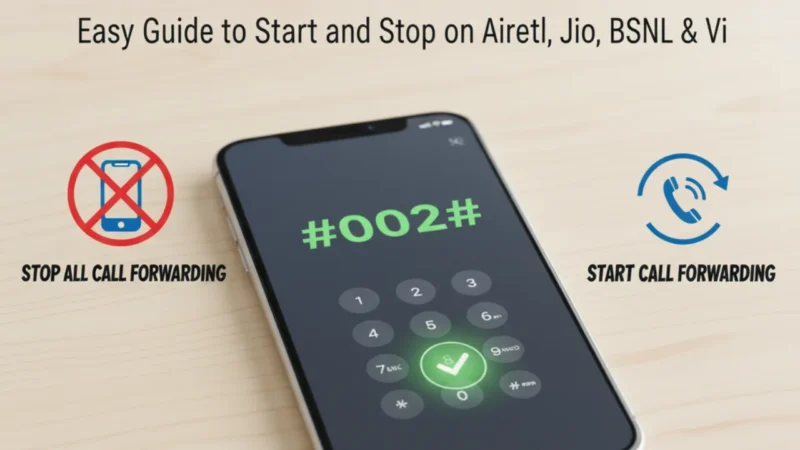
If your phone keeps ringing when you’re busy or you don’t want to miss any important calls, then call forwarding can help a lot. For now, every mobile operator in India gives you simple codes to start or stop this feature. The good thing is that you don’t need any app or settings; you can do everything through a few digits on your dial pad. Along with this, if call forwarding is turned on by mistake, then you can turn it off instantly with a single code.
In today’s article, we will understand how these codes work and how you can use them on Airtel, Jio, BSNL, and Vi without any confusion.
Also read
How to Make Your Android Phone Feel Faster Without Resetting or Deleting Apps
How Call Forwarding Works on Your Phone
Call forwarding is a simple feature where your calls are shifted to another number when you are busy, unreachable, or not picking up. Most users keep this feature off, but sometimes it gets activated automatically or by tapping the wrong setting. After that, you start missing calls without knowing what happened. For now, telecom companies provide USSD codes to control all types of forwarding like “all calls,” “busy calls,” “unreachable,” and “no answer.” Along with this, these codes work on both prepaid and postpaid, so you don’t need to worry. The best part is, you can enable or disable everything in a few seconds without customer care.
Airtel Call Forwarding Code: Start & Stop Easily
If you are an Airtel user, then call forwarding is very simple to manage. You can forward all calls, forward when busy, or forward only when you don’t answer. To start forwarding for all calls, you can dial 21*number#. After that, all your calls will go to the saved number. Along with this, if you want forwarding only when busy, then you can dial 67*number#. For not answering calls, dial 61*number#. Sometimes users activate these codes and forget, which creates problems later. To stop all types of Airtel call forwarding instantly, dial ##002#. This code clears everything, and your phone starts receiving calls normally again.

Jio Call Forwarding Code: Everything Done in One Step
Jio users also get direct codes to handle forwarding. If you want to forward all your calls, you can dial 21*number# same as other networks. For forwarding when busy, Jio uses 67*number#, and for unanswered calls, you can dial 61*number#. If your phone is switched off or out of network, forwarding works with 62*number#. Many users activate this by mistake and then wonder why they are missing calls. For now, Jio provides a simple stop code: ##002#. After dialing this, all types of call forwarding will turn off in one go. Along with this, Jio does not charge anything extra for these codes.
BSNL Call Forwarding Code: Simple and Useful
BSNL still follows the classic call forwarding method, which works smoothly across India. To forward all calls, you can dial 21*number#, and for busy calls, use 67*number#. BSNL also supports not-answering forwarding with 61*number#. If your phone is switched off or out of reach, then 62*number# will forward your calls. Sometimes BSNL users face network issues, so forwarding helps to avoid missing important calls. Along with this, canceling forwarding is also very easy. Just dial ##002# and everything will turn back to normal.
Also read
How to Use Android’s Safety & Emergency Features During Real-Life Situations
Vi Call Forwarding Code: Turn It On or Off Anytime
Vodafone Idea (Vi) customers also have the same code pattern as other telecom brands. To start forwarding for all calls, dial 21*number#. For busy call forwarding, dial 67*number#, and for no reply, use 61*number#. If your number is out of coverage, Vi uses 62*number# to shift your calls. If you want to stop everything in one single step, then dial ##002#. Along with this, this stop code works for every situation, like unreachable, busy, or all-call forwarding. After using this code, your phone will start ringing normally again.
Article Summary
In this article, you saw how call forwarding works and how easily you can start or stop it through simple codes. Airtel, Jio, BSNL, and Vi all support the same pattern: 21 for all calls, 67 for busy, 61 for no answer, and 62 for unreachable. Along with this, the most important code is ##002#, which stops all types of call forwarding instantly. For now, if you ever feel your calls are going somewhere else or ringing on another number, just dial this code and fix the issue in seconds. This guide helps you manage call forwarding without apps, without settings, and without wasting time.
Also read
How to Use Android’s Auto-Reply Features for WhatsApp and SMS Without Any App
WhatsApp beta for Android 2.25.34.6: What’s New for Users?