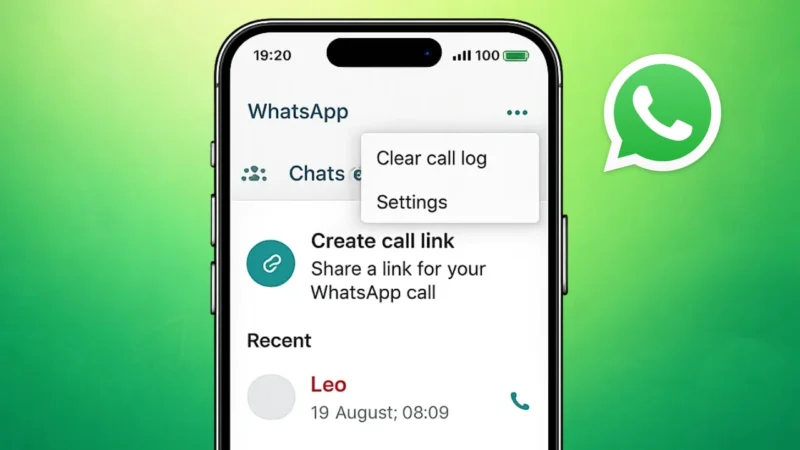
WhatsApp keeps a record of all incoming, outgoing, and missed calls in the Calls tab. Over time, this call history can become cluttered or may include entries you no longer want to keep. Whether it is for privacy reasons or just to keep things organized, deleting WhatsApp call history is simple once you know the correct steps.
This guide explains how to delete WhatsApp call history on both Android and iPhone using official methods.
Also read: What WhatsApp Call Statuses Really Mean and Why You See Them
What Is WhatsApp Call History
WhatsApp call history is a log of:
- Voice calls
- Video calls
- Missed calls
These records appear in the Calls tab and are stored locally on your device. Deleting call history does not affect your chats or contacts.
Can You Delete WhatsApp Call History
Yes, WhatsApp allows users to:
- Delete a single call entry
- Clear all call history at once
However, WhatsApp does not currently support deleting call history automatically. You need to remove it manually.
Also read: How to Stop WhatsApp Calls From a Specific Person Without Blocking
How to Delete WhatsApp Call History on Android
Delete a Single Call Entry
- Open WhatsApp
- Tap the Calls tab
- Press and hold the call entry you want to remove
- Tap the Delete icon
- Confirm deletion
The selected call will be removed from your call log.
Clear All WhatsApp Call History on Android
- Open WhatsApp
- Go to the Calls tab
- Tap the three-dot menu in the top right
- Select Clear call log
- Confirm the action
This deletes all WhatsApp call records at once.
How to Delete WhatsApp Call History on iPhone
Delete Individual Call Records
- Open WhatsApp
- Tap Calls at the bottom
- Swipe left on the call entry
- Tap Delete
Only the selected call entry will be removed.
Clear Entire Call History on iPhone
- Open WhatsApp
- Go to the Calls tab
- Tap Edit in the top left
- Select Clear
- Confirm your choice
This removes all call history from WhatsApp on your iPhone.
Also read: How to Make Stickers for WhatsApp Without App on Android and iPhone
Does Deleting Call History Delete Chats or Media
No. Deleting WhatsApp call history:
- Does not delete chats
- Does not remove media
- Does not block contacts
It only removes the call records visible in the Calls tab.
Will Deleted Call History Be Restored From Backup
If you restore a WhatsApp backup made before deleting call history, the call logs may reappear. To avoid this:
- Create a new backup after deleting call history
- Or turn off backup temporarily if needed
Also read: Stop WhatsApp Media from Automatically Saving to Your Phone Gallery
Why People Delete WhatsApp Call History
Common reasons include:
- Protecting privacy
- Removing old or unnecessary logs
- Cleaning up the Calls tab
- Preparing to hand over the phone to someone else
Final Thoughts
Deleting WhatsApp call history on Android and iPhone is quick and completely safe. WhatsApp provides built-in options to remove individual call entries or clear the entire call log without affecting your chats or contacts. If privacy and organization matter to you, reviewing and clearing your call history occasionally is a good habit.
Also read: How to Edit Videos in WhatsApp on iPhone and Android