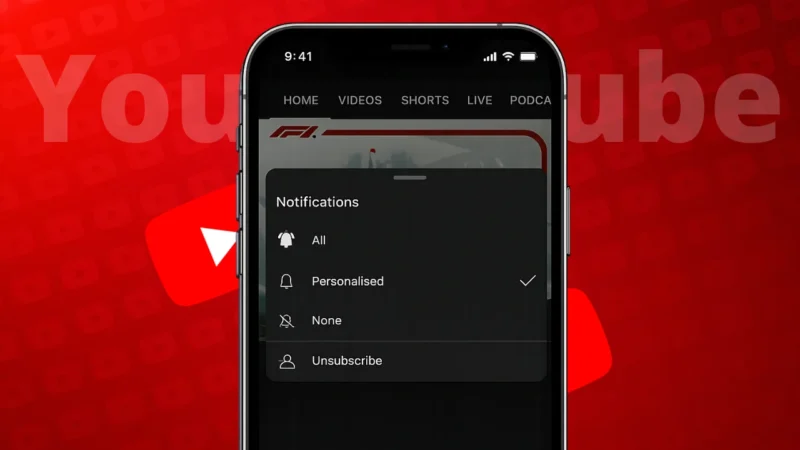
Over time, many users subscribe to hundreds of YouTube channels and later feel their feed has become cluttered. Naturally, the question comes up whether it is possible to unsubscribe from all YouTube channels at once. This guide explains the official situation, what YouTube allows, and the safest ways to clean up your subscriptions.
Also read: 3 Ways to See Liked YouTube Videos on PC and Mobile
Can You Unsubscribe From All YouTube Channels at Once?
Short answer: No, not with a single official button.
YouTube does not currently offer a built-in feature that lets users unsubscribe from all channels in one click. This limitation exists to prevent accidental mass changes and account abuse.
However, there are safe manual methods that let you unsubscribe quickly without breaking YouTube rules.
Method 1: Unsubscribe From Channels Using the YouTube Subscriptions Page
This is the most reliable and official way.
Steps on PC or Laptop
- Open YouTube in a browser
- Make sure you are logged in
- Click Subscriptions from the left menu
- Click Manage in the top-right corner
- You will see a full list of subscribed channels
- Click Subscribed next to each channel
- Confirm Unsubscribe
This method works on both Windows and Mac and updates instantly.
Also read: How to Turn On or Off YouTube Dark Theme – Easy Guide
Method 2: Faster Cleanup Using YouTube Desktop Layout
If you want to unsubscribe faster:
- Open multiple channels in new tabs
- Click Subscribed and confirm
- Close the tab and move to the next one
While still manual, this reduces scrolling and speeds things up.
Method 3: Unsubscribe Using the YouTube Mobile App
Steps on Android and iPhone
- Open the YouTube app
- Tap Subscriptions
- Tap All at the top
- Open a channel
- Tap Subscribed
- Confirm Unsubscribe
The mobile app does not offer bulk removal, but this is the official way on phones.
Also read: How to Use Message Reactions in Telegram
Why You Should Avoid Third-Party Tools
You may see browser extensions or websites claiming to unsubscribe from all YouTube channels automatically. These tools often require:
- Full account access
- Google sign-in permissions
- Script execution on your account
This can violate YouTube’s policies and may lead to account restrictions or security risks. If privacy and account safety matter to you, do not use them.
What Happens After You Unsubscribe
- Channels are removed immediately
- Your recommendations will slowly reset
- Old watch history still affects suggestions unless you clear it
- You can resubscribe anytime
Unsubscribing does not delete your comments or likes.
Also read: How to Log Out of Amazon App or Website (Step-by-Step Guide)
Alternative Option: Create a Fresh YouTube Experience
If you want a completely clean feed without unsubscribing one by one, you can:
- Create a new Google account for YouTube only
- Use one account for learning and one for entertainment
This avoids cleanup entirely but keeps your main account intact.
Final Thoughts
There is no official way to unsubscribe from all YouTube channels at once, and that’s intentional. The safest approach is using YouTube’s built-in subscription management tools. It takes some time, but it keeps your account secure and within platform rules.
If you care about long-term account safety, avoid shortcuts that promise instant results. Clean up once, and your YouTube feed becomes useful again.
Also read: How to Delete WhatsApp Call History on Android and iOS Devices