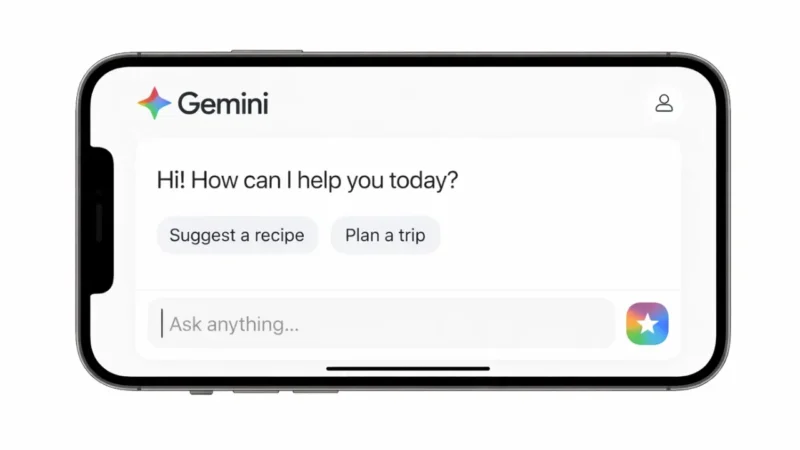
Artificial intelligence tools are becoming part of everyday digital life, and Google Gemini is one of the most powerful AI assistants available today. If you are new and wondering how to start your first conversation with Gemini, this guide will walk you through everything step by step.
Whether you want help with writing, research, coding, or brainstorming ideas, Gemini can assist you quickly and efficiently.
Also read: Using Perplexity AI for Coding: A Complete Guide for Developers
What Is Google Gemini?
Google Gemini is an AI powered assistant developed by Google. It can understand questions, generate responses, summarize information, and help with creative tasks. It works inside a web browser and can also integrate with other Google services.
You can use Gemini to:
- Write emails and articles
- Get explanations on complex topics
- Generate ideas
- Summarize long documents
- Translate text
- Help with coding
- Plan tasks and schedules
Step 1: Access Google Gemini
To start using Gemini:
- Visit the official Gemini website in your browser
- Sign in using your Google account
- Accept any required permissions
- You will see a chat interface ready to use
No complicated setup is required.
Step 2: Start Your First Conversation
In the message box, type your question or request.
For example:
- Explain artificial intelligence in simple terms
- Help me write a professional email
- Create a study plan for exams
- Give me blog topic ideas
Press Enter and wait for the response.
Step 3: Give Clear Instructions
Gemini responds better when your instructions are clear.
Instead of writing:
Write about marketing
Try:
Write a 500 word beginner friendly article about digital marketing with practical examples
Specific prompts produce better answers.
Step 4: Ask Follow Up Questions
You can continue the same conversation without starting over.
Example:
You: Explain cloud computing
Gemini: Gives explanation
You: Make it simpler
You: Add real world examples
The AI remembers the context within the same chat session.
Step 5: Request Format or Tone Changes
You can ask Gemini to:
- Use bullet points
- Make it shorter
- Write in formal tone
- Simplify language
- Provide a summary
- Create a table
This flexibility makes it useful for different tasks.
Step 6: Review and Refine
Always review the output before using it for important purposes. AI tools are helpful, but you should verify important facts and adjust the tone to match your needs.
Tips for Better Results
- Be specific with your request
- Mention word limits if needed
- Clarify the audience
- Break complex tasks into smaller prompts
- Avoid sharing sensitive personal information
The more clearly you communicate, the better the results.
Who Can Use Google Gemini?
Gemini is useful for:
- Students
- Writers
- Professionals
- Developers
- Content creators
- Business owners
Anyone with a Google account can try it.
Free and Paid Access
Gemini typically offers a basic version for free. Advanced features may be available through premium plans depending on region and service updates.
Also read: How to Use ChatGPT for the First Time: A Beginner Friendly Guide
Final Thoughts
Learning how to use Google Gemini is simple. Sign in, type your question, and refine your prompts as needed. Treat it like a smart assistant that responds to clear instructions.
The more you practice, the more productive and efficient your AI conversations will become.