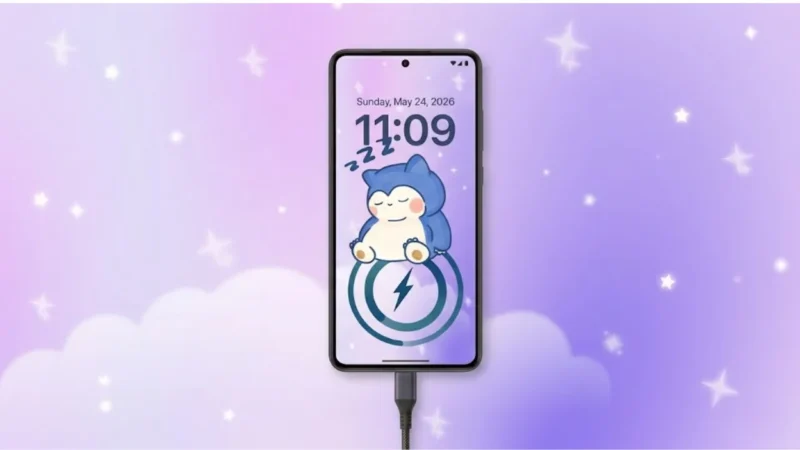
Android users today want more than just a normal smartphone experience. From wallpapers and widgets to charging screens and battery designs, personalization has become a huge part of modern Android usage.
Most phones still come with very basic charging animations and standard battery icons that look almost identical across devices. That is why charging customization apps are becoming increasingly popular among users who want their phones to feel more stylish and unique.
One app getting attention in this category is DIY Battery: 3D Charge & Emoji, which focuses on custom charging animations, battery styles, live effects, and DIY personalization features.
Also read: Best 3D Live Wallpaper Apps for Android With Clock, Battery & Charging Effects
What Is DIY Battery: 3D Charge & Emoji?
DIY Battery: 3D Charge & Emoji is an Android customization app designed to personalize:
- Charging animations
- Battery icons
- Charging screens
- Emoji effects
- Animated battery themes
The app allows users to replace standard Android charging visuals with more creative and animated designs.
Instead of seeing a simple charging icon, users can apply:
- 3D animations
- GIF effects
- RGB battery themes
- Video charging screens
- Neon battery styles
Custom Charging Animations Are the Main Highlight
The biggest attraction of the app is its charging animation system.
Users can customize the charging screen using:
- Personal videos
- Animated GIFs
- Built-in 3D effects
- Emoji-style animations
When the charger is connected, the custom animation automatically appears on the screen.
This creates a more premium and visually interesting charging experience.
Battery Style Customization
The app also allows users to modify how battery indicators look on the device.
Customization options include:
- RGB battery effects
- Neon battery icons
- Percentage-based battery designs
- Animated battery themes
- Stylish charging indicators
This makes the phone feel more personalized compared to default Android battery icons.
DIY Personalization Features
One reason these apps remain popular is the DIY flexibility.
Users can:
- Use personal photos
- Add custom videos
- Create unique battery themes
- Build personalized charging animations
This allows users to create charging screens that feel different from standard themes available on most devices.
Live Charging Effects and Premium Visuals
The app also includes several live visual effects designed to improve the charging screen experience.
Features include:
- Glow animations
- Dynamic charging visuals
- Particle effects
- 3D charging motion
These effects are especially attractive for users who enjoy aesthetic Android setups.
Battery Information Tools
Besides visual customization, the app also provides some battery-related information, such as:
- Battery percentage
- Charging speed
- Battery temperature
These features help users monitor basic charging activity while using the app.
Easy Setup Process
The app is designed to be beginner-friendly.
Typical setup steps include:
- Install the app
- Grant necessary permissions
- Select charging animation style
- Choose battery theme
- Apply settings
Once configured, the charging screen automatically activates whenever the device is plugged in.
Performance and Battery Usage
Charging animation apps naturally use more resources than standard charging screens because they display live effects and animations.
The impact depends on:
- Animation quality
- Device performance
- Screen brightness
- App optimization
Lightweight effects generally consume less battery than heavy video-based animations.
Users with older devices may still experience occasional lag if high-resolution effects are used continuously.
Why Users Like These Apps
Apps like DIY Battery are popular because they:
- Make phones feel unique
- Improve charging screen visuals
- Add fun customization options
- Create premium-looking effects
- Offer social-media-friendly visuals
Many users enjoy customizing charging screens the same way they customize wallpapers and themes.
Also read: Best Android Lighter Simulator App With Realistic Flames and Concert Mode
Important Reality Check
Charging animation apps mainly focus on visual customization.
They do not:
- Increase charging speed
- Improve battery health
- Extend battery lifespan
Some apps advertise exaggerated claims, but most features are cosmetic rather than functional.
Download the App
Users interested in trying the app can download DIY Battery: 3D Charge & Emoji directly from the Google Play Store.
The app includes:
- Custom charging animations
- 3D battery effects
- DIY battery themes
- Emoji charging screens
- Animated battery customization tools
Optional Download Link:
DIY Battery: 3D Charge & Emoji
Final Thoughts
DIY Battery: 3D Charge & Emoji offers a fun way to customize charging screens and battery visuals on Android devices. Features like custom videos, animated effects, RGB battery themes, and live charging animations make the phone feel more interactive and personalized.
But here’s the reality:
Too many heavy animations can sometimes hurt performance more than they improve the experience. The best Android customization setups are usually clean, smooth, and optimized instead of overloaded with effects.
If you enjoy Android personalization and visual customization, apps like this can still be an entertaining addition to your setup.