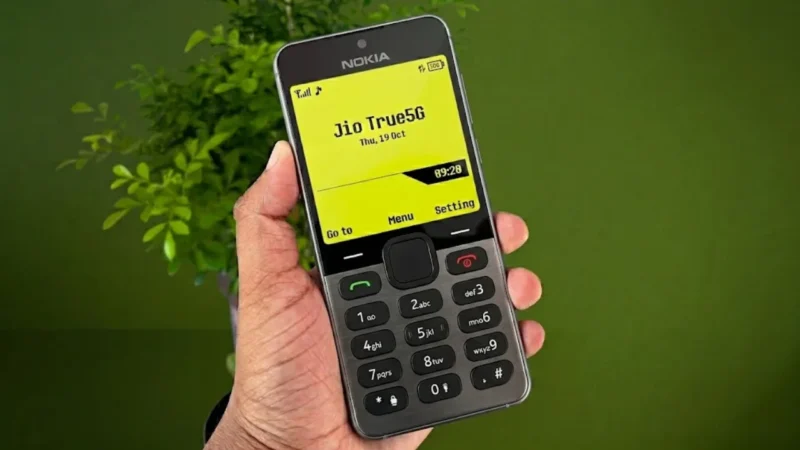
Modern smartphones are becoming more powerful every year, but many people still miss the simplicity of old mobile phones. Before touchscreens, app stores, and endless notifications, phones like the Nokia 1280 were known for their clean interface, physical keypad design, and legendary battery life.
Even today, the classic Nokia style brings back strong nostalgia for many users.
That is why retro launcher apps inspired by the Nokia 1280 are becoming popular again among Android users who want a simple and old-school mobile experience.
Also read: Best Android Charging Animation App With 3D Effects and Live Battery Wallpapers
What Is a Nokia 1280 Launcher?
A Nokia 1280 launcher is an Android customization app that transforms the look of a modern smartphone into a classic Nokia-style interface.
Instead of a modern Android home screen, users get:
- Old keypad-style layouts
- Retro menus
- Classic Nokia-inspired themes
- Vintage-style icons
- Simple navigation screens
The goal is to recreate the feel of using an old Nokia keypad phone on a touchscreen Android device.
Why People Still Love the Nokia 1280 Design
The Nokia 1280 became popular because of its:
- Simple interface
- Easy navigation
- Large buttons
- Lightweight design
- Minimal distractions
Unlike modern smartphones filled with apps and notifications, older Nokia phones focused mainly on calling, messaging, and basic entertainment.
For many users, this simplicity feels nostalgic and refreshing.
Classic Retro User Interface
The biggest attraction of these launcher apps is the retro Nokia-style design.
The launcher recreates:
- Small classic display layouts
- Old-style menu navigation
- Keypad-inspired UI elements
- Minimalist home screens
Some launchers even include classic sound effects and retro-style animations.
Custom Themes and Personalization
Even though the launcher is designed to look old-school, many apps still include modern customization options.
Users can often:
- Change theme colors
- Customize icons
- Modify dial pad styles
- Adjust retro themes
- Personalize the phone name
This helps users mix nostalgia with modern Android customization.
Retro Gaming and Snake-Style Experience
One reason many people remember old Nokia phones is because of the legendary Snake game.
Some Nokia-style launchers include:
- Snake-inspired visuals
- Retro gaming themes
- Old ringtone collections
- Classic keypad sounds
These small details help recreate the original Nokia atmosphere more realistically.
Simple and Lightweight Experience
Unlike heavy Android launchers with complex widgets and animations, retro launchers usually focus on simplicity.
Advantages include:
- Lightweight performance
- Cleaner interface
- Less visual clutter
- Easy navigation
This makes them suitable even for low-end Android devices.
Easy Setup Process
Installing and using a Nokia-style launcher is usually simple.
Typical steps:
- Download the launcher app
- Open the app
- Grant required permissions
- Set the launcher as default
- Apply the retro theme
Once activated, the phone interface changes into a classic Nokia-inspired design.
How to Remove the Launcher
If users want to return to the normal Android interface:
- Open launcher settings
- Select exit or disable launcher
- Switch back to the default Android launcher
The phone will return to its original home screen setup.
Why Retro Launchers Are Trending Again
Many users are becoming tired of:
- Overcomplicated interfaces
- Constant notifications
- Heavy app ecosystems
Retro launchers provide a more nostalgic and distraction-free visual experience.
For some people, it also reminds them of:
- Childhood memories
- First mobile phones
- Simpler technology days
Important Reality Check
These launcher apps mainly change the visual appearance of the phone.
They do not:
- Convert the phone into a real keypad device
- Improve battery life like old Nokia phones
- Fully replicate physical button controls
The experience is mostly aesthetic and nostalgic rather than functional.
Also read: Best Android App to Customize Charging Animations and Battery Styles
Download From Google Play Store
Users who want to try a Nokia-style retro launcher can download similar apps directly from the Google Play Store.
Before installing:
- Check reviews and ratings
- Verify app permissions
- Avoid unofficial APK downloads
Using trusted Play Store apps is always safer than downloading modified launcher files from random websites.
You can check this app
Google Play Store
Final Thoughts
Nokia 1280 launcher apps bring back a nostalgic mobile experience that many people still remember fondly. The retro interface, classic themes, and simple design can make a modern Android phone feel completely different from today’s crowded smartphone interfaces.
But here’s the reality:
The nostalgia works mainly because old phones were simple. Many retro launcher apps ruin that simplicity by adding too many ads, unnecessary features, or fake retro effects. The best launcher experience is usually the one that stays lightweight, clean, and true to the original Nokia-style feel.
For users who enjoy retro technology and classic mobile designs, trying a Nokia-style launcher can still be a fun experience.