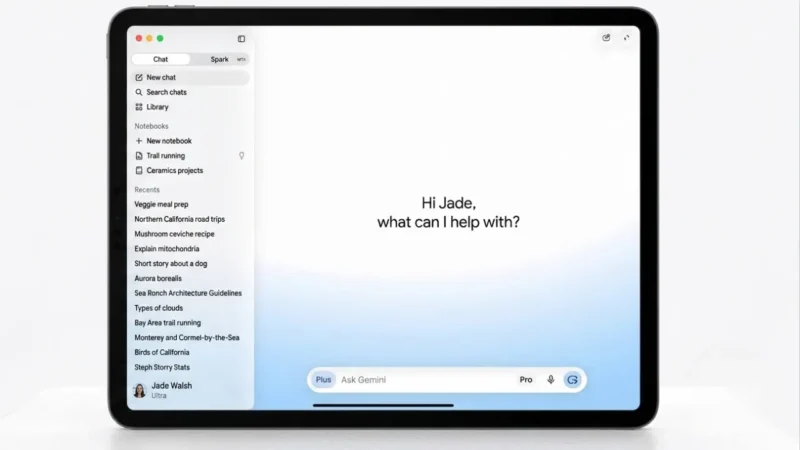
Google has expanded the capabilities of its AI-powered assistant by bringing Gemini Spark to macOS in beta. Originally unveiled at Google I/O 2026, the feature is designed to help users automate repetitive desktop tasks by interacting with files, applications, and connected services directly from their Mac.
The latest update introduces several new capabilities, including desktop automation, third-party app integrations, custom workflow support, and proactive monitoring features.
Also read: Apple Smart Glasses Reportedly Delayed, Now Expected to Launch by the End of 2027
Gemini Spark Can Automate Everyday Desktop Tasks
Unlike a traditional AI chatbot, Gemini Spark is designed to perform multi-step actions across different applications. On macOS, users can ask the AI assistant to complete tasks such as organizing files, creating spreadsheets, or managing recurring workflows.
For example, users can instruct Gemini Spark to organize PDF documents stored in the Downloads folder into separate folders or generate a budget spreadsheet using invoice files saved on their computer. The assistant can also update those spreadsheets automatically using Google Workspace services.
Google says Gemini Spark only accesses files that users explicitly allow, giving users control over their personal data.
Remote Task Execution Is Coming Soon
Google has also announced an upcoming remote task execution feature for macOS. Once available, users will be able to start complex workflows from their smartphones while away from their computers.
For instance, a user could ask Gemini Spark to locate a report stored on their Mac, extract specific information, and send it via email automatically—all without being physically at their desktop.
Expanded App Integrations
Gemini Spark is gaining support for additional Google services and third-party platforms to make workflows more connected.
New integrations include:
- Google Keep
- Google Tasks
- Canva
- Dropbox
- Instacart
- OpenTable
- Zillow Rentals
These integrations allow users to convert notes into actionable tasks, access connected services more efficiently, and streamline everyday productivity. Google says the integrations are rolling out to the web and mobile versions first, with macOS support arriving in the coming weeks.
Custom Workflow Support With MCP
Google has also added support for Model Context Protocol (MCP), allowing developers and advanced users to connect compatible applications directly with Gemini Spark.
This feature enables more personalized automation by allowing the AI assistant to work with additional tools beyond Google’s own ecosystem.
Proactive Monitoring Features
Another notable addition is proactive monitoring, which enables Gemini Spark to track information based on user-defined conditions.
Depending on user preferences, the AI can monitor:
- News websites
- Financial markets
- Weather updates
- Sports results
- Shopping deals
- Social media activity
- Email notifications
- Blogs
When specified conditions are met, Gemini Spark can automatically notify users without requiring manual searches.
Availability
Gemini Spark for macOS is currently available in beta for Google AI Ultra subscribers who are 18 years or older in the United States. Google has not yet announced when the feature will become available in additional regions or for other subscription plans.
Also read: WhatsApp Introduces Username Reservations Ahead of Official Rollout
Final Thoughts
With Gemini Spark arriving on macOS, Google is taking another step toward making AI a practical productivity assistant rather than just a conversational tool. By enabling automation across desktop files, apps, and connected services, the platform aims to reduce repetitive work and simplify everyday tasks.
As Google continues expanding integrations and remote automation capabilities, Gemini Spark could become an increasingly useful companion for users looking to improve productivity across their Apple desktop devices.