A reliable internet connection has become essential for almost everything we do online. From attending virtual meetings and watching 4K videos to gaming and downloading large files, a fast and stable Wi-Fi connection makes the experience much smoother. However, when websites load slowly or videos keep buffering, it can be difficult to know whether the issue is with your internet provider, router, or device.
The easiest way to find out is by running an internet speed test. In just a few seconds, you can measure your connection’s performance and understand whether you’re getting the speed you’re paying for.
In this guide, we’ll explain everything you need to know about checking your Wi-Fi speed, understanding the results, and improving your internet performance.
Also read: How to Convert 4G to 5G on Any Android Phone: Official Methods and Safe Tips
What Is an Internet Speed Test?
An internet speed test is an online tool that measures the quality of your network connection. It sends and receives data between your device and a nearby server to calculate how quickly information travels across your internet connection.
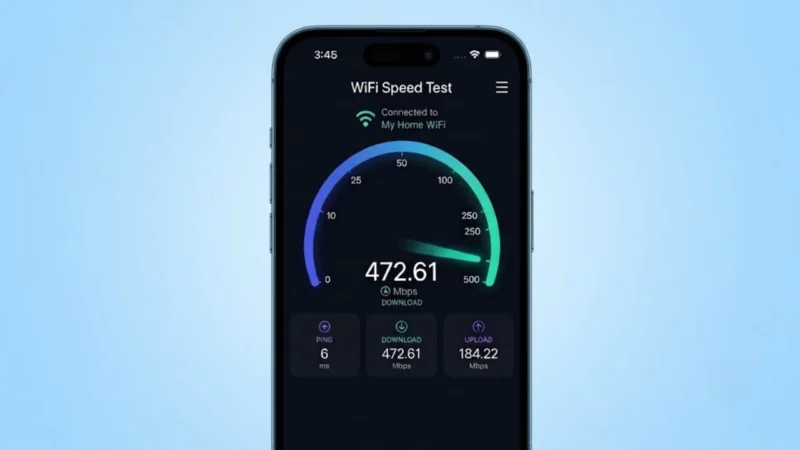
Most speed tests display three important measurements:
- Download Speed
- Upload Speed
- Ping (Latency)
These numbers help determine how well your internet performs for streaming, gaming, video conferencing, browsing, and file transfers.
Why You Should Test Your Wi-Fi Speed
Many people assume their internet is slow because of their Wi-Fi network, but that’s not always the case. A speed test helps identify whether the problem is actually your internet connection.
Testing your speed can help you:
- Verify the speed promised by your ISP.
- Diagnose slow browsing or buffering issues.
- Compare Wi-Fi performance in different rooms.
- Check if your router is working properly.
- Monitor internet performance over time.
- Troubleshoot connection problems before contacting customer support.
Running regular speed tests also helps you notice changes in your internet quality.
Understanding Internet Speed Test Results
Download Speed
Download speed measures how fast data travels from the internet to your device.
It directly affects:
- Streaming movies
- Loading websites
- Downloading apps
- Installing updates
- Cloud storage downloads
The higher the download speed, the faster online content reaches your device.
Upload Speed
Upload speed measures how quickly your device sends information to the internet.
It matters most for:
- Video conferencing
- Uploading photos
- Sending large files
- Live streaming
- Cloud backups
If you frequently upload videos or work remotely, good upload speed is essential.
Ping (Latency)
Ping indicates how long it takes for your device to communicate with a server.
A lower ping means:
- Faster response times
- Better online gaming
- Smoother video calls
- Reduced lag
High latency can cause delays during gaming, voice chats, and live meetings.
How to Run a Wi-Fi Speed Test
Testing your internet connection is quick and easy.
Step 1
Connect your device to your Wi-Fi network.
Step 2
Close apps that are downloading files or streaming videos.
Step 3
Open a trusted internet speed testing website.
Step 4
Tap the Start, Go, or Begin Test button.
Step 5
Wait for the test to complete.
Within a few seconds, you’ll receive detailed information about your internet performance.
What Can Affect Wi-Fi Speed?
Several factors can influence your internet performance.
Router Placement
Keeping your router in an open, central location helps improve signal coverage.
Device Distance
The farther your device is from the router, the weaker the Wi-Fi signal becomes.
Too Many Connected Devices
Multiple devices using the network simultaneously can reduce available bandwidth.
Physical Barriers
Concrete walls, metal objects, and large furniture may weaken wireless signals.
Router Age
Older routers may struggle to deliver the speeds supported by modern internet plans.
Internet Plan
Even the best router cannot exceed the maximum speed offered by your broadband subscription.
Easy Ways to Improve Wi-Fi Performance
If your speed test results aren’t satisfactory, try these practical tips.
Restart Your Router
A simple reboot often fixes temporary network issues.
Update Router Software
Installing the latest firmware can improve stability and performance.
Use the 5GHz Band
If available, switch to the 5GHz network for faster speeds and less interference.
Limit Background Downloads
Pause large downloads while streaming or attending meetings.
Upgrade Your Router
Modern Wi-Fi 6 or Wi-Fi 7 routers deliver faster speeds and better coverage.
Reduce Signal Interference
Keep your router away from microwave ovens, cordless phones, and Bluetooth devices.
What Internet Speed Do You Actually Need?
The ideal internet speed depends on your daily activities.
Casual Browsing
10–20 Mbps is usually enough.
HD Streaming
25 Mbps offers a smooth viewing experience.
4K Streaming
50 Mbps or higher is recommended.
Online Gaming
Low ping is more important than extremely high download speeds.
Multiple Users
Homes with several connected devices benefit from plans offering 100 Mbps or more.
Wi-Fi vs Mobile Data Speed
Speed tests can also compare your Wi-Fi connection with your mobile network.
If your mobile data consistently outperforms your Wi-Fi, your router or broadband connection may require attention.
Best Practices for Accurate Results
To get reliable speed test results:
- Run multiple tests at different times.
- Disconnect unused devices.
- Stay close to the router.
- Avoid testing during large downloads.
- Use the same device for consistent comparisons.
Repeating the test helps identify whether slow speeds are temporary or ongoing.
When Should You Contact Your ISP?
If your internet remains significantly slower than expected after troubleshooting, it may be time to contact your service provider.
Reach out if:
- Speeds remain consistently below your subscribed plan.
- The connection frequently disconnects.
- Ping is unusually high.
- Performance suddenly drops for several days.
Providing recent speed test results can help customer support diagnose the issue more efficiently.
Also read: Instabridge App: Stay Connected with Free WiFi & Save Your Mobile Data
Final Thoughts
Checking your internet speed regularly is one of the easiest ways to monitor your network’s health. A simple speed test can quickly reveal whether your connection is performing as expected or if improvements are needed.
Whether you’re streaming, gaming, working from home, or browsing the web, understanding your download speed, upload speed, and latency allows you to troubleshoot problems more effectively and enjoy a faster, more reliable internet experience. Regular testing, combined with good router placement and proper network management, can make a noticeable difference in your everyday online activities.