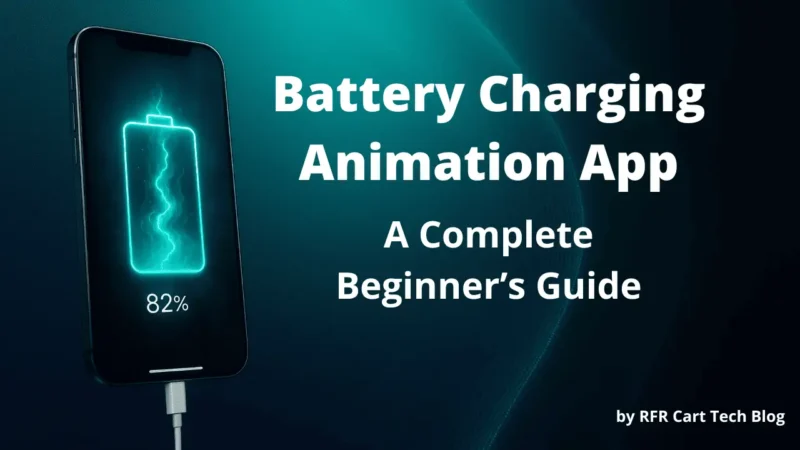
When you plug your phone into the charger, the screen usually shows a small battery icon filling up.
But recently, many people started using Battery Charging Animation Apps — tools that display colorful effects and animations while charging.
These apps make the charging process look more modern and fun.
But how do they actually work, and are they safe to install on your smartphone? Let’s find out.
⚡ Why Are Battery Charging Animation Apps Becoming Popular?
The importance of these apps isn’t about faster charging — it’s about user experience.
People use these apps because they:
- Add a stylish and modern look to their phone screen.
- Show useful battery information in a clear way (percentage, voltage, time left).
- Make the phone screen visually engaging while charging.
- Help users easily notice whether charging has started or stopped.
So while they’re not essential, they’re a fun customization tool — especially for users who enjoy personalizing their device.
Key Features You’ll Commonly Find
Most Battery Charging Animation Apps come with features like:
- 🔋 Custom Charging Animations – Choose from neon effects, liquid fill, wave motion, or 3D styles.
- 🎵 Charging Sounds – Add audio effects when charging starts or stops.
- 🌙 Dark and Light Modes – Match your animation with your phone’s system theme.
- 🧭 Real-Time Battery Stats – Show temperature, health, and estimated charging time.
- ⚙️ Lock Screen Integration – Automatically plays the animation without unlocking your phone.
- 🔐 Privacy Controls – Some versions let you disable permissions not required for animations.
These features make the app more than just visual — they offer a useful mix of function and aesthetics.
How These Apps Work
When you install such an app, it usually requests screen overlay or display permission.
This allows it to show animation effects on top of your lock screen when charging starts.
Here’s what happens in the background:
- The app detects when your charger is plugged in.
- It activates a pre-designed animation or effect.
- When you unplug your device, the animation disappears automatically.
Some advanced versions even allow you to:
- Set different themes
- Add sounds or lighting effects
- Show real-time charging percentage
Important Things to Know Before Using
Before installing any Battery Charging Animation App, keep these points in mind:
- ✅ Check permissions: Avoid apps asking for unnecessary permissions like contacts or location.
- ✅ Read reviews: Choose apps with positive reviews and regular updates.
- ⚠️ Avoid third-party APKs: Only install from Google Play Store, never from random websites.
- ⚡ Understand battery impact: These apps use screen brightness and animations — so they might slightly increase battery consumption when charging.
- 🔒 Data safety: Always check the Data Safety section on Play Store before downloading.
Pros and Cons of Battery Charging Animation Apps
| Pros | Cons |
|---|---|
| Makes charging screen attractive | May slightly affect charging speed |
| Easy to use and customize | Needs overlay permission |
| Provides charging sound & battery info | Can show ads in free versions |
| Improves user experience visually | Some apps may drain power if left open |
Are These Apps Safe?
Generally, yes — Battery Charging Animation Apps are safe if downloaded from official app stores and from trusted developers.
The only risk comes when you install them from unofficial APK sites or grant unnecessary permissions.
So, the rule is simple:
Always download only from the Google Play Store, and never give access to data unrelated to the app’s function.
A Safe App You Can Try
If you want to explore a safe Battery Charging Animation App, you can check out Guru Charging Animation.
It’s available on the Google Play Store, and helps display smooth and colorful charging effects without harming your phone.
You can download it safely from the Play Store or use the link you provided below.
Before installing, always check app permissions and read reviews for your device compatibility.

Conclusion
Battery Charging Animation Apps are a fun way to personalize your phone’s look while charging.
They don’t improve battery health — but they make your device feel more dynamic and modern.
If you decide to use one, stay smart:
- Download only from trusted sources
- Check reviews and permissions
- Avoid apps that ask for access to personal data
Used wisely, these apps are safe and harmless — just a creative touch to your smartphone’s charging experience.
Disclaimer:
This article is for informational purposes only. App names and logos belong to their respective owners. Always download apps from trusted sources like Google Play Store and review permissions before installing.
Also Read:
Unlock Your Phone with Just Your Voice: A Smart Way to Use Voice Lock App
How to Recover Deleted Images and Videos with Photo Recovery App
Set Time Password: A Smarter Way to Lock Your Phone