YouTube is great for learning and entertainment, but it is also very easy to lose track of time while watching videos. Many users later wonder how much time they actually spend on YouTube each day or week.
The good news is that YouTube itself provides built-in tools to help you track your watch time. This article explains three simple and official ways to check how much time you spend on YouTube, both on mobile and desktop.
Also read: How to Set a Custom Profile Picture on Netflix
1. Check Watch Time Using YouTube Time Watched Feature
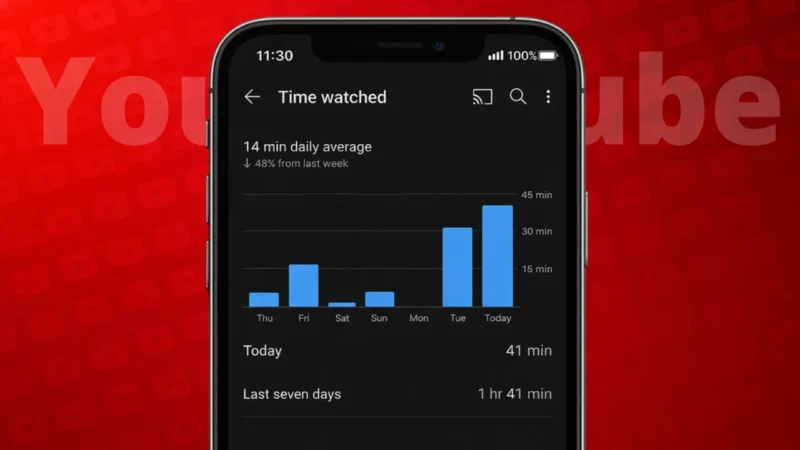
YouTube has a built-in feature called Time Watched that shows your daily and weekly usage.
On Android and iPhone
- Open the YouTube app
- Tap your profile picture in the top right
- Select Time watched
Here you can see:
- Daily average watch time
- Total watch time for recent days
- A graph showing your viewing habits
This is the most accurate way to track your YouTube usage.
On Desktop
- Open YouTube in a browser
- Click your profile picture
- Select Time watched
The desktop view shows similar details, including reminders and break settings.
2. Use Digital Wellbeing Tools on Your Phone
If you want to track YouTube usage along with other apps, your phone’s built-in wellbeing tools can help.
On Android
- Open Settings
- Go to Digital Wellbeing & parental controls
- Tap Dashboard
- Select YouTube
You will see:
- Total time spent
- Number of app opens
- Usage by day
On iPhone
- Open Settings
- Tap Screen Time
- Select See All App & Website Activity
- Find YouTube
This shows your daily and weekly usage in minutes or hours.
Also read: 3 Ways to See Liked YouTube Videos on PC and Mobile
3. Check Weekly Email Reports From YouTube
YouTube also sends optional email summaries that include watch history insights.
How to Enable It
- Go to YouTube settings
- Open Notifications
- Enable Scheduled digest
Once enabled, YouTube sends periodic emails that may include:
- Watch activity summaries
- Viewing trends
- Recommendations
This method is useful if you prefer checking stats outside the app.
Why Tracking YouTube Time Is Useful
Knowing how much time you spend on YouTube can help you:
- Control excessive screen time
- Improve productivity
- Balance entertainment and learning
- Set viewing limits
YouTube also lets you set break reminders and bedtime reminders inside the Time Watched section.
Also read: How to Unsubscribe From All YouTube Channels at Once (What’s Actually Possible)
Tips to Reduce YouTube Screen Time
If you feel your usage is high:
- Enable break reminders
- Set a daily app timer
- Turn off autoplay
- Watch videos with a clear purpose
Small changes can make a big difference.
Final Thoughts
YouTube provides multiple official ways to check how much time you spend watching videos. Whether you use YouTube’s own Time Watched feature, your phone’s wellbeing tools, or email reports, tracking your usage is simple and reliable. Once you know your habits, it becomes much easier to manage your time wisely.
Also read: How to Delete WhatsApp Call History on Android and iOS Devices