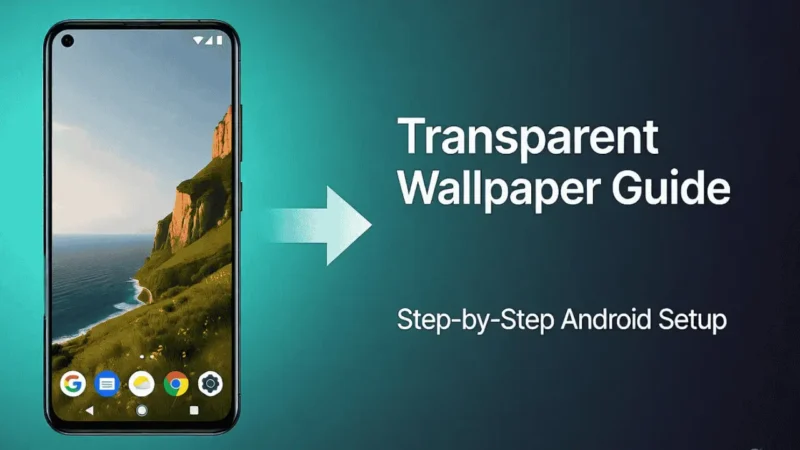
Ever wished your phone’s screen could look see-through — showing everything behind it in real time?
That’s exactly what a Transparent Wallpaper App does.
It’s a fun and creative Android customization app that uses your phone’s camera to make your screen appear transparent.
But before you try it, it’s important to know how it works, what permissions it needs, and whether it’s safe for everyday use.
Let’s go step by step and understand everything clearly.
Also Read: Set Time Password: A Smarter Way to Lock Your Phone
What Is the Transparent Wallpaper App?
The Transparent Wallpaper App is an Android personalization tool that turns your phone’s screen into a live see-through display.
It does this by using your rear camera to stream the background behind your device and display it as your wallpaper.
This gives your phone a cool, transparent look — as if your apps are floating over what’s actually behind your phone.
It’s not magic — it’s a creative use of your camera feed and overlay feature.
How Does It Work?
Here’s how the Transparent Wallpaper App works in simple terms:
- When you install and open the app, it asks for permission to access your camera.
- Once granted, it starts displaying your rear camera feed as wallpaper.
- You’ll see your regular home screen icons, but the background will be live — showing what’s behind your device.
It’s a visual effect — it doesn’t make your phone truly transparent, but it looks realistic and fun.
Also Read: Make Your Typing Stylish with Aa Fonts Keyboard App
Key Features of Transparent Wallpaper App
- 🎥 Live Camera Background: Uses your phone’s back camera to show real-time video behind your icons.
- 🎨 Customizable Settings: Adjust wallpaper brightness and smoothness.
- 🔋 Lightweight Design: Runs smoothly on most modern Android devices.
- 🔐 No Account Needed: Works instantly without creating any account or login.
- ⚙️ One-Tap Setup: Apply transparent wallpaper within seconds.
Is It Safe to Use Transparent Wallpaper App?
Yes — the app is generally safe if you download it from the Google Play Store.
However, because it uses your camera feed, you should be aware of a few points:
- ✅ Download only from Play Store.
- ✅ Check permissions. It only needs camera access to function — avoid giving any unnecessary permissions.
- ⚠️ Battery usage. Since it uses live video feed, it may slightly affect battery life on some devices.
- 🧠 Device performance. Older phones might get warm or slow when running it continuously.
As long as you use it responsibly and install it from trusted sources, it’s safe.
Also, read: HiPhone Launcher for Android – Honest Review, Features, and Safety Guide
Pros and Cons
| Pros | Cons |
|---|---|
| Creative and eye-catching live wallpaper | May use more battery due to live camera feed |
| Easy to set up and use | Can make some devices warmer |
| Works without login or account | Requires camera permission |
| Adds a unique transparent effect | Slight delay on older phones |
How to Use Transparent Wallpaper App
Follow these steps to set it up easily:
- Open the Play Store and search for “Transparent Wallpaper by Firehawk.”
- Tap Install and wait for the download to complete.
- Once installed, open the app and allow camera permission.
- Tap on “Set Transparent Wallpaper.”
- Go back to your home screen — you’ll now see the transparent live effect!
It’s that simple.
How to Download the App (Safely)
If you’d like to try it, you can download it directly from the Google Play Store.
Always install from the official Play Store — not from third-party websites or APK links.
This ensures you get the safe, verified version of the app without any security risks.
🔗 Official Play Store Link:

Final Thoughts
The Transparent Wallpaper App is a creative and fun way to customize your Android phone.
It doesn’t boost performance or save battery — but it makes your phone look modern and unique.
As long as you install it from the Play Store and don’t grant unnecessary permissions, it’s completely safe to try.
If you enjoy personalization and want your phone to stand out, this app is definitely worth exploring once — just for the visual experience.
Stay Connected
For latest tech news, Android tips, and app updates, you can follow us on Facebook and YouTube for regular posts and videos.
Also, read: Battery Charging Animation App – A Complete Beginner’s Guide