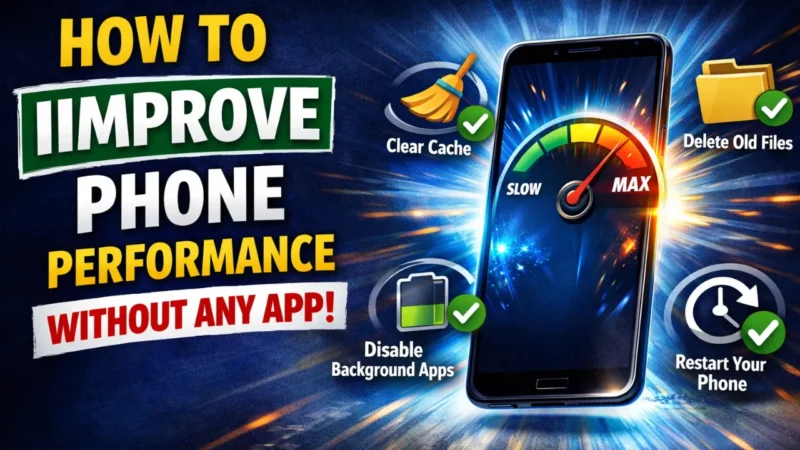
Many phones become slow after some time. Apps take longer to open, the screen freezes, or the phone reacts late. Most people think installing another app will fix this, but that usually creates more problems. Extra apps run in the background and use memory. The good thing is that you can make your phone work better using simple steps already available in the phone settings. These steps are safe and do not need any technical knowledge. You just need a little time and attention to Improve Phone Performance.
In this article, we will discuss the what are simple methods that actually help in daily use and do not harm your phone in any way.
Also read: How to Archive Instagram Posts Without Deleting Them
Restart Your Phone Regularly
Restarting your phone is one of the simplest things you can do. When a phone stays on for many days, small tasks keep running in the background. These tasks slowly use memory and make the phone feel heavy. Restarting clears these temporary tasks and gives the system a fresh start. You do not need to restart every day. Most people can rest once or twice a week. Upon rebooting, applications tend to open quickly, and Improve Phone Performance. This practice is quite handy, particularly when individuals have to use a phone frequently throughout the day.
Empty Cache in Settings.
Apps save small files known as cache so that they can be loaded quickly. These files end up being large and slow down the phone. Clearing of cache assists in removing such unneeded files. This can be done by opening phone settings, and then in the app section, choosing an application, and then tapping on clear cache. This does not erase the photos, messages, or login details. You are not supposed to delete the app information without understanding what it does.
Other applications, such as browsers, video, and social media applications, accumulate even more cache. Once a month, it is necessary to clean the cache so that the phone can work more smoothly, and this is of more ways to Improve Phone Performance.

Reduce Animations in Phone Settings
Animations are the visual effects you see when opening or closing apps. They look good, but they also use extra power and memory. Reducing animations makes the phone feel quicker. You can lower animation speed from developer options in settings. After reducing animations, screen movement becomes faster, and touch response feels better, and you feel improve phone Performance. This change is more useful for older phones, but even new phones feel slightly quicker.
The phone will not look bad after this change; it will just feel more responsive. This setting is hidden, but it makes a noticeable difference.
Remove Unused Apps and Home Screen Widgets
Many phones have apps that are never used. These apps take up storage space and sometimes run background processes. Removing such apps helps free memory and storage. You should check your app list and uninstall apps you no longer need. Along with apps, too many widgets on the home screen also slow things down. Widgets refresh data again and again, which uses memory.
The home screen is made lighter by eliminating additional widgets. The phone can be used more conveniently and react faster after cleaning apps and widgets, making the daily tasks easier. This is one more method to Improve Phone Performance
Disability Auto Syncing on unnecessary Accounts.
Auto sync continues to look in the background in order to find new emails, photos, and app data. One uses memory, battery, and the internet in this process. There are lots of apps that do not have to be synced all the time. To disable the sync of the accounts you do not use frequently, open settings and select the accounts section. Only important things, such as the main email or contacts, should be kept in sync. Background activity is minimized after the switch-off of unnecessary sync.
The phone is cooler, and the battery life is also extended, and it feels Improve Phone The step is useful when an individual feels that his/her phone is becoming slow, even when it is not being used.
Also read: How to Tag Someone on Instagram Story After Posting
Keep Enough Free Storage Space
Low storage is a common reason behind slow phones. When storage is almost full, the system does not get enough space to work properly. You should delete old videos, screenshots, and files you no longer need. The downloads folder should also be checked regularly because it fills up without notice. Try to keep some free space at all times. Phones work better when they are not filled. After freeing storage, apps open faster, and Improve Phone Performance. This habit helps in the long run and prevents sudden slowdowns.
Install Phone Software on Schedule.
The issue of software updates does not exclusively concern the new features. They also repair minor inconveniences within the system. Stability is enhanced by many updates, and bugs that introduce lag are eliminated. You are supposed to verify that you are up to date in your phone settings. Also, ensure that the battery is full and that there is sufficient storage before updating. The phone tends to become more stable after upgrading.
The company tries out updates before releasing them, hence they are safe for common users. Regular updating of the system also contributes to the fact that the phone will last longer, and this Improve Phone Performance.
Final Thought
You do not require any additional application in order to have your phone work better. Most of the speed issues can be resolved by taking simple measures of restarting the phone, clearing the phone cache, uninstalling unnecessary applications, controlling phone memory, and adjusting the phone settings. Such techniques are already present in your cell phone and are not dangerous. All you have to do is go by them gradually and consistently.
Once this has been done, your phone will become smoother and more convenient to operate in your daily life. Improve Phone Performance is done by these simple steps.
Also read: Amazon’s AI Assistant Alexa+ Now Works With Angi, Expedia, Square, and Yelp