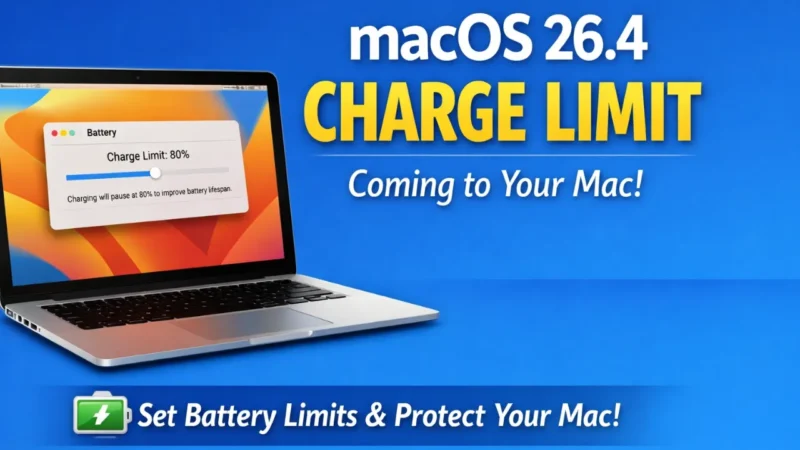
Apple is preparing a useful battery feature in its upcoming Mac software update. With the new macOS 26.4 Charge Limit, Mac users will finally get the same type of charging control that iPhone users already enjoy. This feature allows you to decide how much your Mac battery should charge instead of always going to 100 percent. Because of this simple control, battery health can stay better for a longer time. Right now, the update is still in testing, so not everyone can use it yet. But once it becomes available for all users, it may become one of the most important battery-saving features ever added to macOS.
In this article,e we willdiscusst the macOS 26.4 Charge Limit and what we are going to see in this update.
Also read: How to Use Grok AI: A Simple Guide for Beginners
What is the macOS 26.4 Charge Limit Feature?
The macOS 26.4 Charge Limit feature lets users set a fixed maximum charging percentage for their Mac battery. Instead of charging fully every time, you can choose limits like 80, 85, 90, 95, or 100 percent. After you select a limit, the Mac will automatically stop charging when it reaches that level. Earlier, Mac devices depended mostly on automatic battery management that learned your routine, but users did not get full manual control. This new option changes that completely. Apple is basically bringing an iPhone-style battery protection system to the Mac, which many users have been waiting for for a long time.
Why macOS 26.4 Charge Limit Is Important for Battery Health
LiB has a natural tendency to deteriorate as it remains fully charged. When a laptop is kept on at 100 percent all day and only when it is plugged in, the chemicals in the internal battery are subjected to increased stress, and this decreases long-term capacity gradually. The macOS 26.4 Charge Limit assists in lessening this issue since the battery will remain at a lower percentage, specifically approximately 80 percent. This will be of great help to the students, office employees, and creators who spend most of their time using their Mac with a charger.
This minor modification can ultimately safeguard battery performance and decrease aging, as well as enable the Mac to remain reliable over the long term without the need for battery replacement.
MacOS 26.4 Charge Limit: How MacOS 26.4 Works on Your Mac.
The Charge Limit provided that macOS 26.4 will be easy and fast to use. All you have to do is open System settings, navigate to the battery tab, and select the desired level of charging among the offered options. The battery will automatically interrupt when it has attained the desired percentage, and no additional effort will be needed. In some cases, the system might still be charging to full capacity in the background to maintain the battery measurement, but this will only be done a few times.
All in all, the process remains automatic and smooth in nature, thus it does not require technical expertise. It is designed cleanly and easily by Apple, such that anyone would have no trouble using the feature.
Also read: How to Create Images in Midjourney: Step-by-Step Guide for Beginners
Distinction on charge limit and optimized charging.
Apple already has a feature known as Optimized Battery Charging before the release of macOS 26.4 Charge Limit. That system observes your habits of charging daily and does not charge all the way until the time you take the device out of the plug. Although useful, it still enables the battery to achieve 100 percent regularly, and therefore, the users do not have full control. The new Charge Limit is unlike the old one since it sets a hard limit that does not allow charging past the chosen percentage.
This enhances the feature and makes it more useful when it comes to protecting the battery over a longer period of time. To put it simply, Optimized Charging is automatic assistance, and Charge Limitiss directly controlled.
Added Functionality With macOS 26.4 Charge Limit.
Another move to be made by Apple is to interface the macOS 26.4 Charge Limit with intelligent automation devices. With shortcuts or custom routines, the user can adjust charging limits. As an example, as a person travels, the limit may increase, and as they sit at a desk, the limit may come down. Such an elastic control enhances battery control that is smarter and more customized. It also demonstrates that Apple is gradually introducing high-tech iPhone battery smart into the Mac platform. The update does not merely seem like a single minor enhancement but a total change in the power and charging habits of Macs, as well as long-term battery safety.
Also read: WhatsApp Web introduces encrypted video and voice calls on the Web
Charge Limit Will Be Available: MacOS 26.4.
As of now, the macOS 26.4 Charge Limit can be used only in test versions that are being used by developers and early testers. Apple has not yet officially announced the date of the final public release, but this type of in-between macOS release normally comes in the spring season. It means that the common users can get this feature with a regular software update. It will work with the majority of modern Macs, but even very old models could be omitted.
The ultimate compatibility will be evident once it gets rolled out. The feature may also be one of the most utilized battery settings on Mac devices once it is released into the world.
Final Thoughts
The macOS 26.4 Charge Limit may look like a small addition, but it solves a long-standing problem for Mac users who want better battery health. For the first time, people can directly control how much their Mac charges, just like on an iPhone. This simple option can reduce battery wear, improve long-term performance, and help devices last longer without expensive repairs. If you care about keeping your Mac battery strong for years, this upcoming feature is definitely worth using. Once the update arrives, turning on macOS 26.4 Charge Limit could become one of the smartest everyday settings for your laptop.
Also read: How to Use Claude AI for Writing, Research, and Everyday Tasks