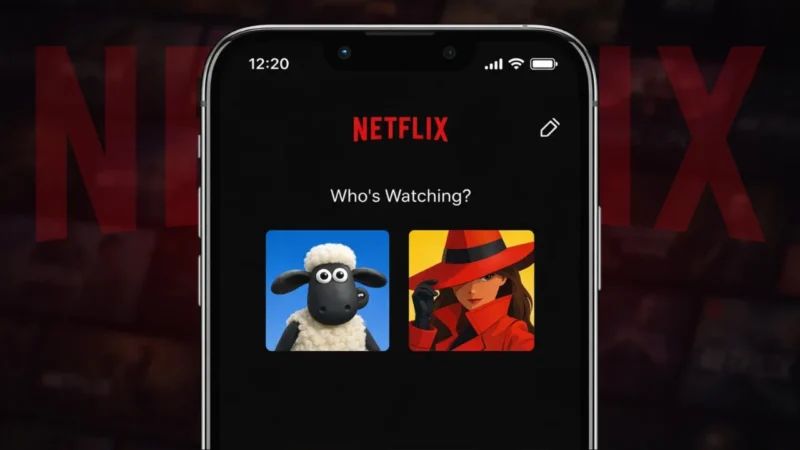
Netflix lets users create multiple profiles so everyone in the household gets personalized recommendations. Each profile comes with its own avatar, which helps you quickly identify your account. Many users want to change their profile picture to something that better matches their personality.
This guide explains how to set or change your Netflix profile picture, what customization options are available, and what limitations you should know about.
Also read: How to Save, Access, or Delete Drafts on Instagram
Can You Upload Your Own Photo as a Netflix Profile Picture?
First, an important clarification.
Netflix does not allow uploading your own photo as a profile picture. You can only choose from the avatars provided by Netflix. These avatars are officially designed characters from Netflix shows and movies.
Any website or app claiming to let you upload a custom image is not using an official Netflix method.
How to Change Profile Picture on Netflix
You can change your Netflix profile picture using the mobile app or a web browser.
Change Profile Picture on Netflix App (Android or iPhone)
- Open the Netflix app
- Tap My Netflix or your profile icon
- Tap Manage Profiles
- Select the profile you want to edit
- Tap the profile picture
- Choose a new avatar from the list
- Tap Save
The new profile picture updates instantly.
Change Profile Picture on Netflix Website
- Open Netflix in a browser
- Log in to your account
- Hover over the profile icon
- Click Manage Profiles
- Select the profile
- Click the profile picture
- Choose a new avatar
- Save changes
This works on both desktop and mobile browsers.
Also read: How to Unsubscribe From All YouTube Channels at Once (What’s Actually Possible)
What Types of Profile Pictures Does Netflix Offer?
Netflix regularly updates its avatar collection. Available options include:
- Characters from popular Netflix shows
- Movie characters
- Cartoon-style icons
- Minimal graphic avatars
Some avatars appear only when certain shows are trending or newly released.
Why Netflix Does Not Allow Custom Image Uploads
Netflix limits profile pictures for several reasons:
- Consistent design across devices
- Prevention of inappropriate content
- Better performance and faster loading
- Compliance with content moderation policies
This ensures a safe and uniform experience for all users.
Also read: How to Log Out of Amazon App or Website (Step-by-Step Guide)
Profile Picture Not Changing? Try These Fixes
If your new profile picture does not appear:
- Refresh the app or webpage
- Log out and log back in
- Clear app cache
- Update the Netflix app
- Wait a few minutes for syncing
Changes usually reflect quickly across devices.
Can Kids Profiles Have Custom Avatars?
Kids profiles also use Netflix-approved avatars. The selection is usually limited to child-friendly characters and cartoons.
Also read: How to Delete WhatsApp Call History on Android and iOS Devices
Final Thoughts
While Netflix does not allow uploading your own image as a profile picture, changing your avatar is still easy and flexible. With a wide range of official characters to choose from, you can personalize your profile without risking account safety. Always use Netflix’s built-in options to avoid issues or account restrictions.