WhatsApp calls are useful, but sometimes a specific contact keeps calling at the wrong time. You may not want to block that person completely because you still want to chat with them. The good news is that WhatsApp offers official ways to reduce or completely stop call disturbances from specific people without blocking them.
This guide explains all the legitimate options available on WhatsApp for Android and iPhone.
Also read: How to Make Stickers for WhatsApp Without App on Android and iPhone
Can You Stop WhatsApp Calls Without Blocking?
Directly stopping calls from only one person is not available as a single toggle in WhatsApp. However, WhatsApp provides built-in features that let you silence, mute, or ignore calls in a respectful and official way without blocking the contact.
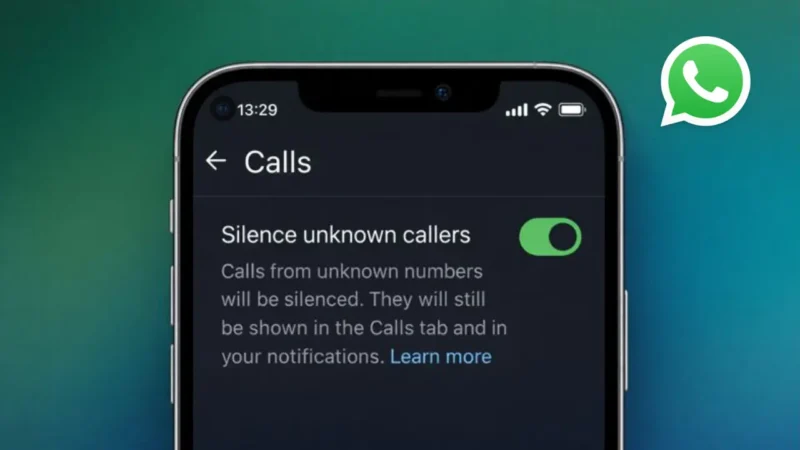
Method 1: Silence Calls From Unknown Callers
If the person is not saved in your contacts, this method works perfectly.
Steps:
- Open WhatsApp
- Go to Settings
- Tap Privacy
- Select Calls
- Enable Silence Unknown Callers
What happens:
- Calls from unknown numbers will be silenced
- They will still appear in the Calls tab
- No ring or vibration
This is an official WhatsApp feature and works on both Android and iPhone.
Also read: Stop WhatsApp Media from Automatically Saving to Your Phone Gallery
Method 2: Use Custom Notification Settings for That Contact
If the contact is saved, you can silence their call notifications.
Steps:
- Open the chat of that person
- Tap their name at the top
- Go to Custom Notifications
- Enable Custom Notifications
- Set call ringtone to Silent
- Turn off vibration
Result:
- Calls will not ring
- The person is not blocked
- You still receive messages normally
This method is subtle and works well if you want peace without confrontation.
Method 3: Mute the Contact Chat and Ignore Calls
Muting a chat does not stop calls directly, but it reduces overall disturbance.
Steps:
- Open the chat
- Tap the contact name
- Select Mute Notifications
- Choose Always
You can then ignore calls without being disturbed by message notifications from the same person.
Also read: How to Secure Your WhatsApp Account and Protect Your Privacy
Method 4: Enable Do Not Disturb With WhatsApp Exception Control
You can use your phone’s system settings to limit WhatsApp calls.
How it helps:
- Enable Do Not Disturb mode
- Allow calls only from selected contacts
- WhatsApp calls from others stay silent
This does not block anyone and gives you full control over interruptions.
What You Cannot Do Officially
To be clear, WhatsApp does not currently allow:
- Blocking only calls but allowing chats
- Auto-rejecting calls from one specific saved contact
Any app or trick claiming this is unofficial and risky.
Also read: How to Lock WhatsApp Chat on Android and iPhone Easily
Best Option Summary
| Situation | Best Method |
|---|---|
| Saved contact calling too much | Custom notification silence |
| Unknown number calling | Silence Unknown Callers |
| Temporary peace | Do Not Disturb mode |
| Still want to chat | Avoid blocking |
Final Thoughts
If you want to stop WhatsApp calls from a specific person without blocking them, the safest and official way is to silence call notifications for that contact. WhatsApp’s built-in privacy and notification controls are designed exactly for this purpose.
This approach keeps your communication respectful, private, and fully within WhatsApp’s official features.
Also read: How to Search Messages on WhatsApp on Android and iPhone