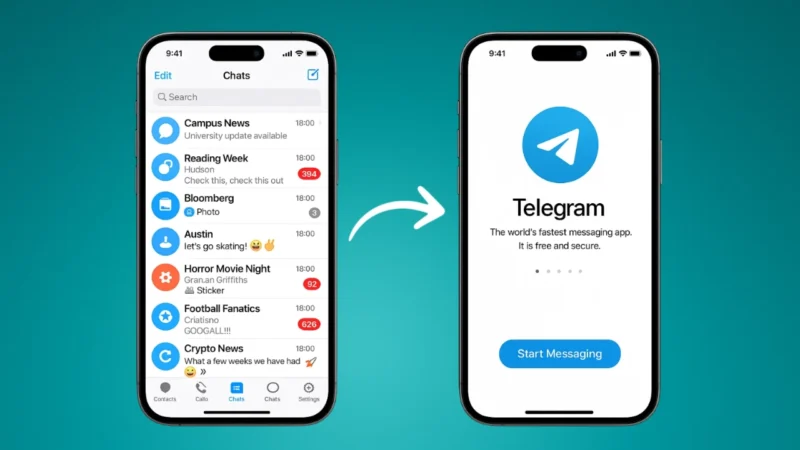
Telegram has always been one of the most flexible messaging apps, and now it officially allows you to use the same Telegram account on two phones without any third party apps or tricks. Whether you want to manage your chats on an additional device or simply switch between two phones, Telegram makes the process simple and secure.
In this guide, you will learn how to use one Telegram account on two phones officially, how it works, and how to keep your account safe while doing it.
Also read: Use One WhatsApp Account on Two Phones Officially
How Telegram Multi Device Login Works
Telegram is cloud based, which means your messages, media, settings, and contacts stay synced across all your devices.
So when you log in to a second phone, the app pulls your data instantly and updates it in real time.
There are no limits on how many devices you can connect, and every device stays independently active unless you manually remove it.
How to Use One Telegram Account on Two Phones
Follow these steps on your second phone:
1. Install Telegram
Download Telegram from Google Play Store or the App Store depending on your device.
2. Tap Start Messaging
Open the app and tap on Start Messaging to begin the login process.
3. Enter Your Registered Phone Number
Type the same phone number you use for your primary Telegram account.
4. Choose Login with Another Device
Instead of entering an SMS code, Telegram may send a login request to your primary device.
You will see a pop up there asking if you want to allow the login.
5. Approve the Login on Your Main Phone
Open Telegram on your first phone and tap Allow.
This verifies that you are the real owner of the account.
6. You Are Logged In on Both Phones
Telegram syncs everything automatically, including your chats, contacts, and media.
You can now use both phones at the same time without any restrictions.
Also read: How to Check If Your Gmail Account Is Hacked and How to Fix It
How to Check Active Telegram Devices
If you want to see which devices are logged in to your account:
- Open Telegram
- Go to Settings
- Select Devices
- You will see a list of all active sessions
From here, you can remove any device that you no longer use.
How to Secure Your Telegram Account While Using Two Phones
Using multi device login is safe, but follow these steps for extra protection:
1. Enable Two Step Verification
This adds an extra password to your account.
Go to Settings → Privacy and Security → Two Step Verification → Set Additional Password.
2. Avoid Approving Unknown Login Requests
If you get a login request that you did not initiate, deny it immediately.
3. Keep Your Primary Phone Secure
Since approval happens through your main phone, make sure it is locked with a PIN or fingerprint.
4. Review Active Sessions Often
Remove old devices that you do not recognize.
Also read: How to Share Your WhatsApp QR Code – Simple and Complete Guide
Can Both Phones Receive Calls and Messages?
Yes.
Telegram syncs everything in real time, so both phones will:
- Get new messages
- Receive Telegram calls
- Show notifications
- Allow sending and downloading media
There is no difference between the first and second device.
Final Thoughts
Using one Telegram account on two phones is now an official and secure feature. You do not need any cloning apps or risky tricks. Just log in to your second phone and approve the request on your main device.
This feature is perfect for users who switch devices often, use one phone for work and another for personal use, or simply want flexibility.
Also read: How to Change WhatsApp Chat Themes – Simple and Clear Guide