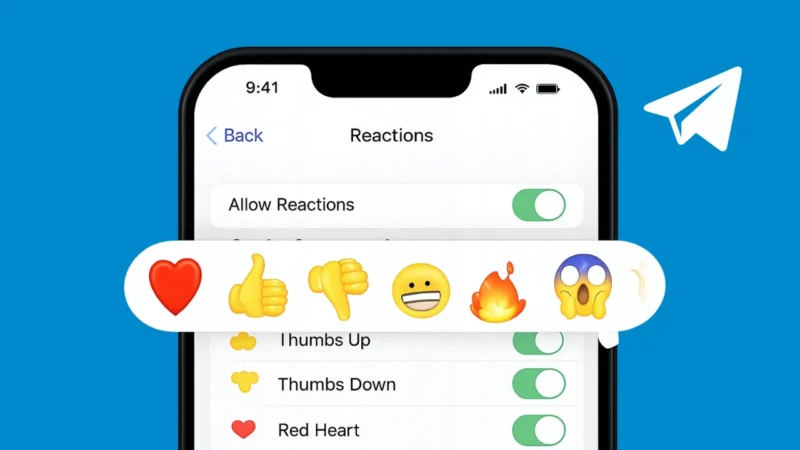
Telegram message reactions are a quick way to respond to messages without typing a full reply. Instead of sending a new message, you can simply react with an emoji to show agreement, appreciation, or emotion. This feature works across private chats, groups, and channels, making conversations faster and more expressive.
If you are new to Telegram reactions or not sure how they work, this guide will walk you through everything in a simple way.
Also read: How to Change or Remove Your Last Name on Facebook
What Are Message Reactions in Telegram
Message reactions allow you to respond to a message using emojis. When you react, the emoji appears below the message, and others in the chat can see it. In group chats and channels, reactions help people respond without flooding the chat with replies.
Telegram supports both default and custom emoji reactions, depending on the chat type and your settings.
How to React to a Message on Telegram
Using message reactions is very easy and works similarly on Android, iPhone, and desktop.
On Android and iPhone
- Open the Telegram app
- Go to any chat, group, or channel
- Long-press on the message you want to react to
- A row of emojis will appear
- Tap the emoji you want to use
Your reaction will instantly show below the message.
On Desktop or Web
- Open Telegram Desktop or Telegram Web
- Hover your mouse over a message
- Click on the reaction icon or emoji option
- Select an emoji
The reaction will be added right away.
Also read: How to See Mutual Friends on Snapchat
How to Change or Remove a Reaction
You can easily change or remove your reaction if you want.
- To change a reaction, tap or click a different emoji
- To remove a reaction, tap the same emoji again
Telegram updates the reaction instantly without sending a new message.
Custom Emoji Reactions in Telegram
In some chats, especially channels and premium-enabled groups, Telegram allows custom emoji reactions.
These reactions may include:
- Animated emojis
- Channel-specific emojis
- Premium emoji packs
If custom reactions are enabled, you will see more options when reacting to a message.
Also read: How to Edit Videos in WhatsApp on iPhone and Android
How to Control Reactions in Groups and Channels
Group admins and channel owners can manage reaction settings.
They can:
- Enable or disable reactions completely
- Allow only selected emojis
- Limit reactions to one per message
This helps keep large chats organized and prevents spam reactions.
Why Message Reactions Are Useful
Message reactions offer several benefits:
- Faster responses without typing
- Cleaner group chats
- Better engagement in channels
- Easy way to show agreement or emotion
They are especially useful in busy groups where short reactions are better than long replies.
Also read: 3 Ways to See Liked YouTube Videos on PC and Mobile
Common Issues With Telegram Reactions
If you do not see the reaction option:
- Make sure your Telegram app is updated
- Check if reactions are disabled in that chat
- Some older chats may not support reactions
Updating the app usually fixes most issues.
Final Thoughts
Message reactions in Telegram make conversations simpler and more expressive. Whether you are chatting one-on-one, participating in a group, or following a channel, reactions help you respond quickly without interrupting the flow of discussion.
Once you start using them regularly, reactions become one of the most convenient features in Telegram messaging.
Also read: How to Improve Phone Performance Without Any App