Snapchat does not show a full public friend list like some other social media platforms. However, it does give subtle indicators that help you understand whether you and another person share mutual friends. These indicators are easy to spot once you know where to look.
In this guide, you’ll learn what mutual friends mean on Snapchat, how to recognize them, and what limitations exist.
Also read: How to Edit Videos in WhatsApp on iPhone and Android
What Are Mutual Friends on Snapchat?
Mutual friends are people who are friends with both you and another Snapchat user. Snapchat does not list names of mutual friends, but it shows visual cues to indicate that mutual connections exist.
These cues usually appear on profiles, friend suggestions, or while adding new people.
How to Check Mutual Friends on Snapchat
Method 1: Look for “Mutual Friends” Under a Profile
When you view someone’s profile who is not yet your friend, Snapchat may show a line such as:
- “X+ Mutual Friends”
Steps:
- Open Snapchat.
- Search for a user or tap on their profile.
- Look below their username and Snap score.
- If mutual friends exist, Snapchat will display the count.
Snapchat does not reveal who those mutual friends are. Only the number is shown.
Method 2: Check Friend Suggestions
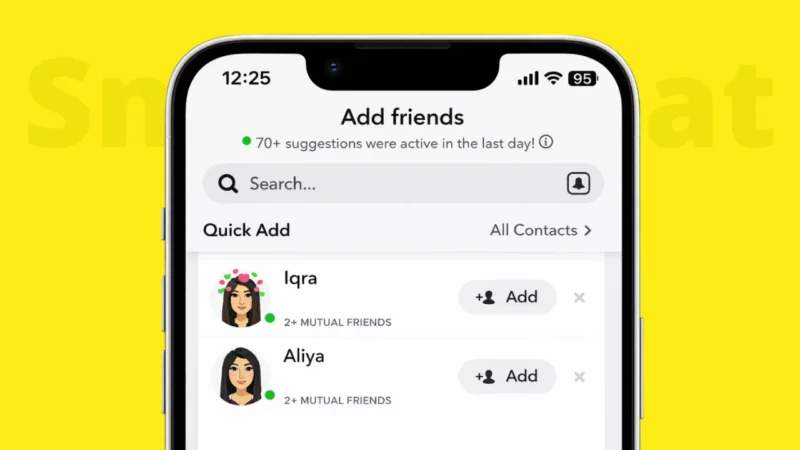
Snapchat’s “Quick Add” feature often suggests people based on shared connections.
How it works:
- If someone appears in Quick Add with a note like “X+ Mutual Friends,” it means you share friends.
- This is one of the most common ways users discover mutual connections.
Method 3: While Adding a New Contact
When you add someone using their username or Snapcode, Snapchat may show mutual friend information after the request is sent.
This helps you confirm whether the account is connected to people you already know.
Also read: How to Improve Phone Performance Without Any App
Can You See the Names of Mutual Friends?
No. Snapchat does not allow users to see the names or profiles of mutual friends. This is done to protect user privacy.
You can only see:
- The number of mutual friends
- Not their identities
There is no official setting or feature to change this.
Why Snapchat Limits Mutual Friend Details
Snapchat is designed around privacy and private communication. Unlike other platforms, it avoids exposing social graphs openly.
This prevents:
- Unwanted stalking
- Forced social discovery
- Overexposure of friend networks
Also read: How to Archive Instagram Posts Without Deleting Them
Things to Keep in Mind
- Mutual friend counts may change as people add or remove friends.
- If someone hides their friend-related data, mutual info may not appear.
- You may not see mutual friends if the other user’s privacy settings restrict it.
Common Questions
Why don’t I see mutual friends for some users?
This can happen if:
- There are no shared connections
- The user has privacy restrictions
- Snapchat has not calculated mutual data yet
Does Snapchat notify someone when I check their profile?
No. Viewing a profile does not send notifications.
Also read: How to Make Stickers for WhatsApp Without App on Android and iPhone
Final Thoughts
Snapchat keeps mutual friend information minimal and privacy-focused. While you cannot see exactly who the mutual friends are, the count itself is useful for understanding shared connections and deciding whether to add someone.
If you’re looking for transparency and safety, this limited approach helps keep interactions more controlled.