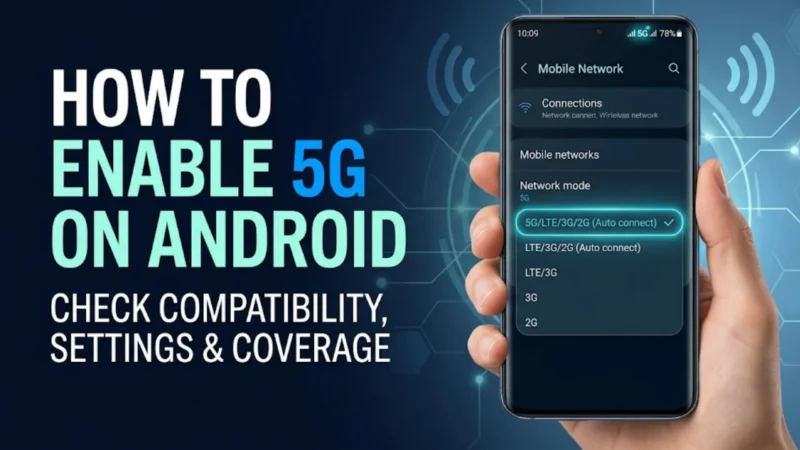
Many Android users search for ways to convert their 4G phones into 5G devices. However, there is a lot of misinformation online claiming that a simple app, secret code, or setting can magically turn any 4G phone into a 5G smartphone.
The truth is that a phone needs built-in 5G hardware to connect to 5G networks. Still, there are a few official methods and safe tricks that can help you activate 5G if your device already supports it but isn’t using it.
Here’s everything you need to know.
Also read: Instabridge App: Stay Connected with Free WiFi & Save Your Mobile Data
Can You Really Convert a 4G Phone Into a 5G Phone?
The simple answer is no.
If your smartphone was launched with only 4G hardware, no software update, app, or secret setting can add true 5G support.
5G requires special modem hardware and antennas that are physically built into the device.
However, if your phone already supports 5G but is currently running on 4G, you may be able to enable 5G through a few simple steps.
How to Check if Your Android Phone Supports 5G
Before changing any settings, first confirm whether your phone supports 5G.
You can check by:
- Opening Settings
- Going to SIM Cards & Mobile Networks
- Selecting your SIM card
- Looking for a “Preferred Network Type” option
If you see options like:
- 5G/4G/3G/2G
- Prefer 5G
- 5G Auto
Your device supports 5G.
If you only see:
- 4G/3G/2G
- LTE/3G/2G
Then your phone likely does not have 5G hardware.
Official Method to Enable 5G on Android
If your phone supports 5G, follow these steps:
Step 1: Update Your Phone
Many manufacturers enable 5G through software updates.
To check:
- Open Settings
- Tap Software Update
- Download and install available updates
After updating, restart your phone.
Step 2: Enable 5G Network Mode
Go to:
Settings → Mobile Network → Preferred Network Type
Select:
- 5G Auto
- Prefer 5G
- 5G/4G/3G/2G
The exact option depends on your phone brand.
Step 3: Ensure Your SIM Supports 5G
Most modern SIM cards already support 5G.
If you’re using an old SIM card, contact your network provider and request a replacement if necessary.
Step 4: Check 5G Coverage in Your Area
Even if your phone supports 5G, you won’t see a 5G signal unless your carrier provides 5G coverage in your location.
Try checking your carrier’s coverage map or testing in a different area.
Safe Tips to Improve 5G Connectivity
Restart Your Phone
A simple restart often helps the device reconnect to the latest network available.
Enable Automatic Network Selection
Go to:
Settings → Mobile Network → Network Operators
Enable automatic selection so your phone can connect to the strongest available network.
Remove and Reinsert the SIM Card
Sometimes reconnecting the SIM card can refresh network registration and enable 5G access.
Keep Carrier Settings Updated
Some Android phones receive carrier configuration updates that improve network compatibility.
Installing updates can help unlock new network features.
Beware of Fake 4G-to-5G Tricks
Many videos and websites claim that you can convert a 4G phone into a 5G device using:
- Secret dialer codes
- Third-party apps
- APK files
- Developer settings
- Hidden engineering menus
These methods cannot add real 5G hardware to a phone.
At best, they change display settings. At worst, they can cause network issues or security risks.
What If Your Phone Only Supports 4G?
If your device has only 4G hardware, the only way to use 5G is to upgrade to a smartphone that includes built-in 5G support.
Fortunately, many affordable Android phones now come with 5G connectivity at budget-friendly prices.
Why It Matters
5G offers several advantages over 4G, including:
- Faster download speeds
- Lower latency
- Better streaming quality
- Improved online gaming performance
- Faster app downloads and updates
As 5G networks continue to expand, more users are looking for ways to take advantage of these benefits.
Also read: How to Make Your Android Phone Feel Faster Without Resetting or Deleting Apps
Final Thoughts
You cannot convert a true 4G-only phone into a 5G device because 5G requires dedicated hardware. However, if your Android phone already supports 5G, updating the software, enabling the correct network settings, and ensuring you have 5G coverage can help you activate the feature.
Avoid apps and online tricks that promise to magically turn a 4G phone into a 5G phone. The safest approach is to use official settings and manufacturer-supported methods.