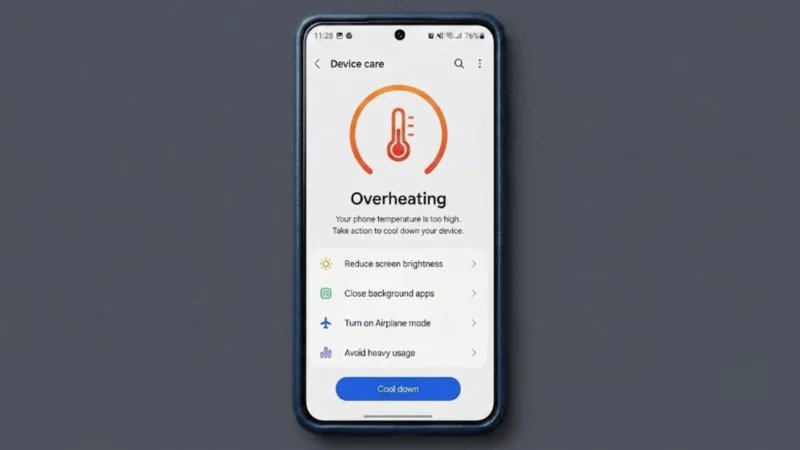
A smartphone getting slightly warm during charging or gaming is completely normal. However, if your phone becomes too hot to hold or starts overheating frequently, it could affect performance, battery health, and even the lifespan of your device.
The good news is that phone overheating can often be fixed with a few simple changes.
In this guide, you’ll learn how to identify the causes of overheating and what you can do to prevent long-term damage.
Also read: Slow Internet? Here’s How to Check Your Wi-Fi Speed Accurately
Why Does a Phone Overheat?
Several factors can cause a smartphone to become unusually hot, including:
- Extended gaming sessions
- Fast charging
- High screen brightness
- Multiple apps running in the background
- Poor network signals
- Direct sunlight
- Software bugs
- Outdated apps
Understanding the cause is the first step toward solving the problem.
Close Apps Running in the Background
Many apps continue to work even after you’ve stopped using them.
Social media apps, navigation apps, streaming services, and messaging platforms often keep running in the background, which can increase the processor’s workload.
To reduce overheating:
- Open recent apps.
- Close unnecessary applications.
- Restart your phone.
This simple step can immediately reduce the device’s temperature.
Reduce Screen Brightness
A bright display consumes more power and generates additional heat.
Instead of keeping your screen at maximum brightness, try:
- Enabling adaptive brightness
- Lowering the brightness manually
- Using dark mode
Reducing display brightness can significantly improve battery life and lower the phone’s temperature.
Avoid Using Your Phone While Charging
One of the most common reasons for overheating is using the phone while it’s charging.
Activities such as:
- Gaming
- Video streaming
- Video calling
- Watching movies
can generate extra heat during charging.
If possible, let your phone charge without using it.
Remove the Phone Case During Charging
Some thick protective cases can trap heat.
If your phone becomes unusually hot while charging:
- Remove the case temporarily.
- Place the device on a hard surface.
- Allow heat to dissipate naturally.
Avoid charging your phone under pillows, blankets, or cushions.
Turn Off Unused Features
Several phone features continue consuming power even when you’re not actively using them.
Turn off features you don’t need, such as:
- Bluetooth
- GPS
- Wi-Fi
- Mobile hotspot
- NFC
Reducing unnecessary activity can help keep your device cooler.
Keep Your Apps Updated
Software updates often include performance improvements and bug fixes.
An outdated app may contain bugs that force the processor to work harder than necessary.
To update your apps:
On Android:
- Open the Play Store.
- Tap your profile picture.
- Select Manage apps and device.
- Tap Update all.
On iPhone:
- Open the App Store.
- Tap your profile.
- Update available applications.
Keep Your Phone Out of Direct Sunlight
Heat from the environment can quickly increase your phone’s temperature.
Avoid leaving your device:
- Inside a parked car
- Near a window in direct sunlight
- On outdoor tables during hot weather
Extreme temperatures can permanently damage the battery.
Restart Your Phone
Sometimes, a simple restart can solve overheating problems.
Restarting clears temporary processes, refreshes the operating system, and stops background tasks that may be consuming system resources.
If your phone has been running continuously for several days, a restart can make a noticeable difference.
Check Your Battery Health
An aging battery can also cause overheating.
Warning signs include:
- Rapid battery drain
- Unexpected shutdowns
- Slow charging
- Excessive heat
If your device is several years old, it may be worth checking the battery’s condition.
When Should You Be Concerned?
Seek professional assistance if:
- The phone overheats frequently.
- The battery starts swelling.
- The device shuts down automatically.
- The phone becomes extremely hot during normal use.
Ignoring these symptoms could lead to permanent hardware damage.
Also read: How to Recover Deleted Apps on Android Phones Without Losing Your Data
Final Thoughts
Phone overheating isn’t always a sign of a serious problem, but it shouldn’t be ignored.
Simple changes such as closing background apps, reducing screen brightness, avoiding direct sunlight, and updating your software can often solve the issue.
Taking action early can help protect your phone’s battery, improve performance, and extend the life of your device.