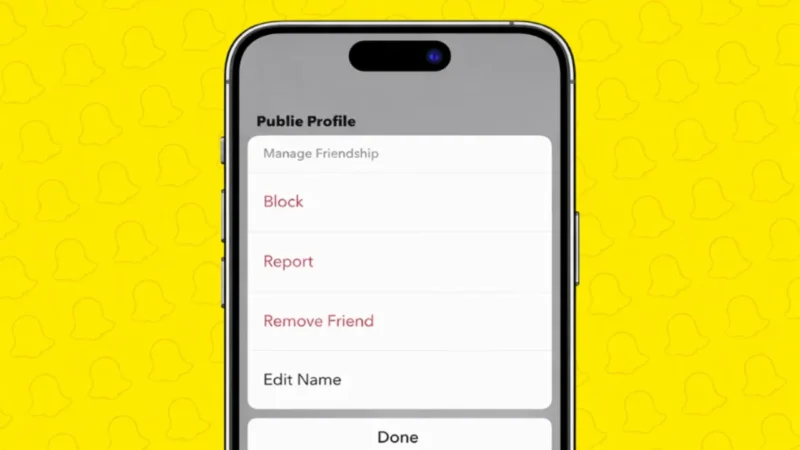
Snapchat makes it easy to manage your friends list. If you no longer want someone in your contacts, you can remove them in just a few taps. Whether it’s for privacy, a cleaner friends list, or personal reasons, Snapchat gives you official options to do this safely.
In this guide, you will learn two simple ways to delete friends on Snapchat, using only built-in features.
Also read: How to See Mutual Friends on Snapchat
What Happens When You Remove a Friend on Snapchat
Before removing someone, it’s good to know what changes:
- They will no longer see your private Stories
- You will stop seeing their private Stories
- Chats remain saved only if they were set to “Save in Chat”
- The person is not notified when you remove them
Removing a friend is quiet and reversible if you add them again later.
Method 1: Remove a Friend From Their Profile
This is the most common and direct way.
Steps to Remove a Friend From Profile
- Open Snapchat on your phone
- Tap your profile icon at the top
- Go to My Friends
- Tap on the friend you want to remove
- Tap the three-dot menu in the top-right corner
- Select Remove Friend
- Confirm your choice
That’s it. The friend is instantly removed from your list.
Also read: How to delete Snapchat on Mobile and Web: A Simple Step-by-Step Guide
Method 2: Remove a Friend From the Chat Screen
If you already have an active chat, this method is faster.
Steps to Remove a Friend From Chat
- Open Snapchat
- Go to the Chat screen
- Open the chat with the person
- Tap their Bitmoji or name at the top
- Tap the three-dot menu
- Select Remove Friend
- Confirm
This method works the same way and removes them immediately.
Can You Add a Removed Friend Again
Yes. Removing someone does not block them.
You can add them again by:
- Searching their username
- Using Snapcode
- Accepting a new friend request
If you want stronger control, you can use the Block option instead.
Also read: How to Use Message Reactions in Telegram
Difference Between Removing and Blocking on Snapchat
| Action | What It Does |
|---|---|
| Remove Friend | Stops private interaction but allows re-adding |
| Block | Completely cuts off contact and hides profile |
Choose the option that fits your situation.
Why People Remove Friends on Snapchat
Some common reasons include:
- Too many inactive contacts
- Privacy concerns
- Cleaning up old connections
- Avoiding unwanted interactions
Snapchat gives you full control over your friends list.
Also read: How to Change or Remove Your Last Name on Facebook
Final Thoughts
Removing friends on Snapchat is simple, private, and completely official. Whether you do it from the profile page or directly from a chat, both methods work safely without notifying the other person. Keeping your friends list updated helps maintain better privacy and a cleaner Snapchat experience.
If you ever change your mind, you can always reconnect later.