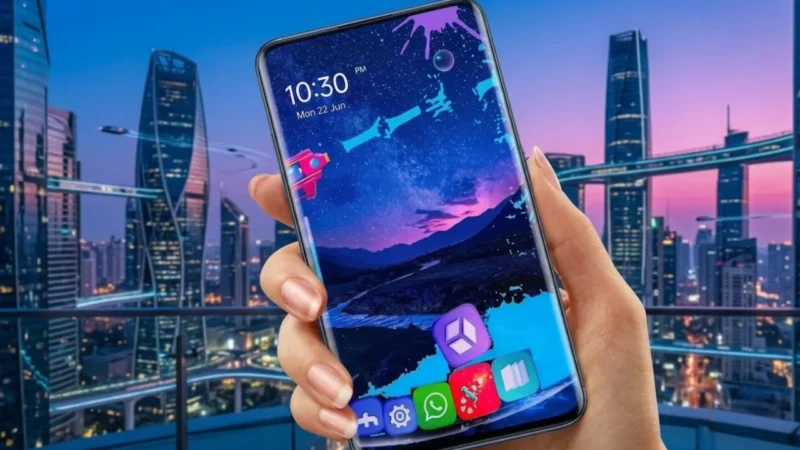
Android is known for giving users complete freedom to personalize their devices, and launcher apps are one of the easiest ways to completely change the look and feel of a smartphone. If you’re tired of the default home screen and want a fresh, modern interface, GO Launcher S offers a feature-rich solution packed with themes, wallpapers, smart tools, and customization options.
Whether you prefer a clean minimalist design or a colorful and animated home screen, GO Launcher S provides everything you need to create a personalized Android experience without requiring any technical skills.
Also read: Smart Glasses Are Getting Smarter — But Can You Spot the Hidden Camera?
What Is GO Launcher S?
GO Launcher S is a popular Android launcher designed to replace the default home screen with a more customizable and visually appealing interface. The app allows users to modify icons, layouts, wallpapers, transitions, and various other visual elements to create a unique smartphone experience.
The launcher focuses on combining attractive design with practical usability, making it suitable for both casual users and Android customization enthusiasts.
Stylish 3D Themes for a Fresh New Look
One of the biggest highlights of GO Launcher S is its extensive collection of 3D themes. These themes can completely transform your device’s appearance and give your smartphone a modern and premium feel.
Some theme features include:
- Dynamic visual effects
- Creative icon packs
- Futuristic home screen designs
- Personalized layouts and styles
Users can switch between themes anytime and experiment with different looks without affecting device functionality.
Huge Collection of HD Wallpapers
A wallpaper can dramatically change the appearance of a phone, and GO Launcher S offers access to a large library of high-quality wallpapers.
Popular wallpaper categories include:
- Nature and landscapes
- Minimalist designs
- Abstract artwork
- Dark-themed backgrounds
- Creative and artistic visuals
New wallpapers are regularly added, giving users plenty of fresh options to explore.
Smooth and Lightweight Performance
Many Android users worry that launcher apps may slow down their devices. GO Launcher S is designed to deliver a responsive experience while keeping resource usage under control.
Benefits include:
- Fast app navigation
- Smooth screen transitions
- Efficient memory management
- User-friendly interface
This makes the launcher suitable for both modern smartphones and older Android devices.
Advanced Home Screen Customization
Customization is where GO Launcher S truly shines. The launcher offers a wide range of personalization options that allow users to build a home screen that matches their style.
Users can:
- Change icon styles and sizes
- Customize screen layouts
- Modify transition animations
- Organize apps and folders
- Create unique home screen setups
These features help users create a smartphone experience that feels truly personal.
Built-In Privacy Features
GO Launcher S also includes tools designed to help users manage privacy more effectively.
Depending on the version available, features may include:
- App lock functionality
- Hidden app options
- Additional privacy controls
Users should review permissions and settings carefully before enabling privacy-related features.
Smart Tools for Better Productivity
Beyond visual customization, GO Launcher S includes several tools that can improve everyday usability.
Some useful features include:
- Quick search functionality
- Gesture shortcuts
- App organization tools
- Simplified navigation controls
These additions help users access apps and settings more efficiently throughout the day.
Why GO Launcher S Remains Popular
Despite the growing number of launcher apps available on Android, GO Launcher S continues to attract users because it offers a balance of design, customization, and performance.
Reasons users choose GO Launcher S include:
- Easy setup process
- Beginner-friendly interface
- Free core features
- Attractive themes and wallpapers
- Frequent updates and improvements
For users looking to refresh their smartphone experience, it remains a practical and accessible option.
How to Get Started
Setting up GO Launcher S only takes a few minutes:
Step 1: Install the App
Download GO Launcher S from the Google Play Store.
Step 2: Launch the App
Open the launcher and complete the initial setup process.
Step 3: Set as Default Launcher
Choose GO Launcher S as your default launcher for a complete experience.
Step 4: Customize Your Home Screen
Explore themes, wallpapers, icon packs, and settings to create your preferred layout.
Who Should Try GO Launcher S?
This launcher is ideal for:
- Android users who enjoy customization
- People looking for a fresh home screen design
- Theme and wallpaper enthusiasts
- Users who want more control over their interface
- Anyone interested in personalizing their smartphone
Download GO Launcher S
You can download GO Launcher S directly from the Google Play Store:
Google Play Store:
https://play.google.com/store/apps/details?id=com.gau.go.launcherex.s
Optional Alternative:
If the direct link is unavailable, simply search for “GO Launcher S” on the Google Play Store to find and install the app.
Final Thoughts
GO Launcher S is an excellent choice for Android users who want to give their smartphones a fresh and personalized appearance. With its collection of stylish themes, HD wallpapers, flexible customization options, and useful productivity tools, the launcher offers a simple way to transform the overall user experience.
If you’re looking to move beyond the default Android interface and create a home screen that reflects your personal style, GO Launcher S is definitely worth exploring.