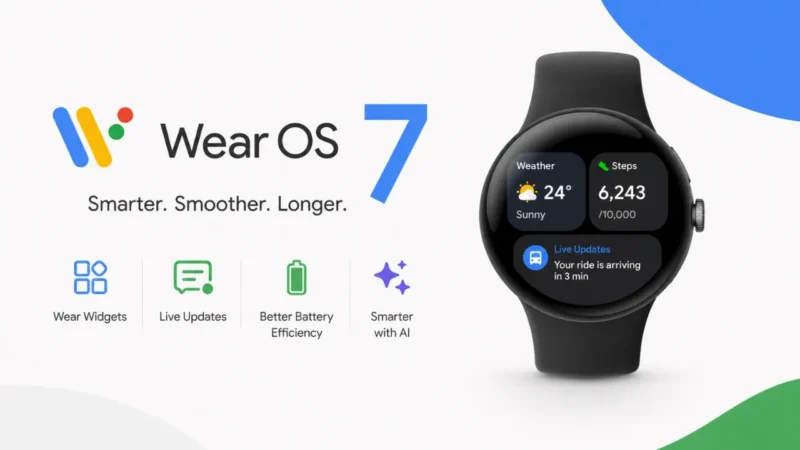
Google has officially released Wear OS 7, which includes a number of useful changes for smartwatch wearers. The company is now putting more emphasis on battery life, smart widgets, live information, and AI-powered capabilities. For fitness enthusiasts, call takers, music lovers, or those who rely on their smartwatch for notifications, this update can improve the way these devices work. With that, Google is also making an effort to have smartwatches feel more “tethered” to Android phones. Many new visual improvements are also coming to the system.
In this article, we will discuss the update that is currently being rolled out at Google I/O 2026, and it will be rolled out to supported watches later this year.
Also read: Google Unveils Gemini Omni AI Video Model and Gemini 3.5 Series at I/O 2026
Optimize Battery Usage on Wear OS 7.1. Optimize battery usage on Wear OS 7.1
A better battery is one of the most important features of Wear OS 7. Users moving from the previous version will see up to 10 per cent more battery life, Google says. It may seem trivial to some, but to smartwatch consumers, it could make a lot of difference when using the device every day. Smartwatches typically perform numerous background tasks such as health tracking, notifications, GPS, music controls, and more. This, in turn, results in rapid discharge of the battery. Google claims to have introduced new power optimisations to the system for apps to reduce power consumption. In addition to this, the company also aims for users to experience more features without having to endlessly charge.
New Wear Widgets Make Smartwatches Modern
Google is also adding a new feature called Wear Widgets to Wear OS 7. Smartwatch tiles will be replaced by widgets, which will be smaller and cleaner in appearance. Widgets that, like Android phone widgets, will be displayed to users in a 2×1 and 2×2 format. As a result, the watch’s GUI might look more contemporary and user-friendly. In addition to that, users can get instant updates on the weather, health data, reminders, and app shortcuts right from the watch screen. Google claims that the widgets are more flexible and dynamic than the older tiles. Developers will also have improved widgets for apps that will look better.
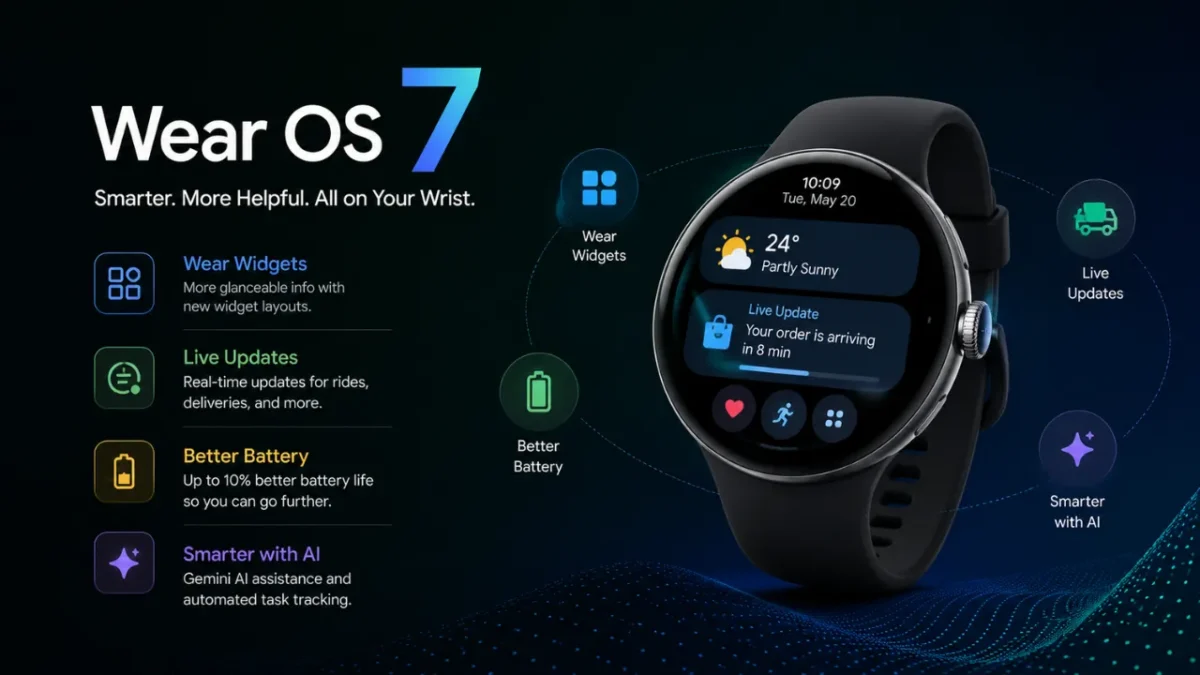
The long-anticipated live updates feature is finally arriving!
Another big component that is part of Wear OS 7 is Live Updates. Google is taking this feature to smartwatches, too, and it was first introduced to Android phones. This allows users to view updates in real-time with ease, without having to open apps repeatedly. For instance, they could show you the live information of your food order and cab booking instantly if you place an order. You can also automatically display sports scores and delivery progress. This is very convenient for those who check the updates regularly while traveling, at work, etc. There’s already something like this on watchOS, so Google is now attempting to bring it to Android.
The watches will be smarter with AI Features.
Google is also introducing support for Google’s Gemini Intelligence into Wear OS 7. This will allow future smartwatches to be even smarter and more proactive. Later this year, the company will release select watches that will offer AI-powered help on the wrist itself. In addition to this, users can also monitor AI-driven automation activities via their smartwatch. For instance, users might instruct the assistant to make an order or set up reminders. Google is also launching new developer tools to make apps more useful with AI capabilities. These features might not be available on all smartwatches right away, but Google is clearly intent on making AI a large-scale aspect of wearables technology.
Media Controls are Getting Useful Changes
The new operating system also has better media controls within its app. Media controls are also being enhanced in Wear OS 7. There will now be more control of audio playback directly from the smartwatch. An added benefit is audio routing support, which allows users to select the destination for the sound. Users can easily swap music between earbuds, speakers, RS, or phones directly from the watch, for example. In addition to this, Google is also introducing per-app media auto-launch settings. That way, users can tailor the way media apps respond upon the launch of music. These little tweaks can make a world of difference when it comes to using a smartwatch throughout the day. These features may be extremely useful for those who listen to music while walking, exercising, or traveling.
Also read: YouTube Expands AI Deepfake Detection Tool to All Adult Creators
Fitness And Daily Usage May Feel More Smooth
Google is also prioritizing hassle-free performance and workout experiences in Wear OS 7. Fitness tracking and workout interfaces are reportedly getting slicker. The user can have more convenient access to heart rate data, workout controls, and media shortcuts during the workout. In parallel, new tools are also being provided for developers to build more responsive smartwatch apps,s too. Google wants watches to be faster, more connected, every day. The company is also making many enhancements to the UI responsiveness and system animations. These minor enhancements might provide a more stable smartwatch experience on a day-to-day basis, such as routine fitness tracking, calling, navigation, and notifications.
Final Summary
Google is attempting to make smartwatches more useful and smarter with Wear OS 7. The update adds improved battery optimisation, new Wear Widgets, Live Updates, improved performance, and AI-powered features. In addition, the hands are also receiving better media controls and a clutter-free smartwatch experience. Each of these features might seem insignificant on its own, but combined, they can make the use of a smartwatch much more convenient. For the time being, users must wait for official release dates from smartwatch manufacturers. But Wear OS 7 is already one of the largest updates Google’s ever made for its wearable devices in recent years.
Also read: Instagram Account Suspended or Banned? Here’s How to Recover It Safely Using Official Methods